


9 Best AI Summarizer Tools in 2026 (I Tested 20+ To Find Them)


After testing 20+ AI summarizer tools and AI summary apps in real workflows, I narrowed it down to the 9 best tools. These tools consistently deliver accurate, structured, and ready-to-use summaries, instead of generic copy-paste rewrites.
Best AI summarizer tools in 2026: TL;DR
What is an AI summarizer?
An AI summarizer is a tool that uses artificial intelligence to condense long texts, documents, or media files into a short, coherent summary. A good AI summary tool can handle articles, PDFs, reports, meeting transcripts, and even video or audio transcripts.
Most modern AI summarizers do more than shorten text. They can:
- Identify key points, themes, and arguments.
- Preserve important context instead of flattening everything.
- Output in useful formats like bullet points, key takeaways, or action items.
The best AI summarizer tools focus on accuracy and structure, and not just brevity. They help you move from “I have a lot to read” to “I understand the main points and what to do next” without rereading the entire source.
Why use an AI summarizer instead of manual reading or using ChatGPT?
You might be thinking, “Why not just paste text into ChatGPT and ask for a summary?” For quick, one-off tasks that can work, but dedicated AI summarizers are usually better when you are dealing with real workloads.
Here is why AI summarization tools often win:
- Faster and more efficient for long content: Dedicated AI summarizers can handle long-form content and large documents in one go. They can process full articles, PDFs, or transcripts at once, while ChatGPT may slow down or require you to chunk and paste content manually.
- More accurate extractive summaries: Tools like TLDR This extract key sentences directly from the source, which helps preserve the original meaning. ChatGPT tends to rewrite content, which can sometimes introduce subtle changes or lose technical nuance.
- Control over summary length: Many AI summary tools let you choose how short or detailed you want the summary to be, for example, a fixed number of sentences or a specific compression level. With ChatGPT, you have to keep prompting until the length feels right, and they may still oversimplify or over-explain.
- One-click web and document summarization: With browser extensions or built-in “summarize this page” buttons in tools like TLDR This, you do not need to copy-paste at all. The AI summary app can pull the full web page, article, or document and generate a summary with a single click.
- Better for research and technical content: AI document summarizers like Scholarcy are tuned for academic papers, citations, and complex reports. They can highlight sections, pull out references, and surface key findings, while a general chatbot may miss important citations or misinterpret domain-specific details.
For simple tasks, pasting text into ChatGPT is fine. When you care about speed, structure, and reliability across many documents, a dedicated AI summarizer or AI summary tool is usually the better choice.
My testing methodology: How I rated 20+ tools
I tested each AI summarizer in real work scenarios, not just by reading feature pages. Every tool went through the same mix of tasks that students, marketers, researchers, and remote teams face, including blog research, long documents, academic papers, meetings, and recordings.
The goal was to see how well each one fit into everyday workflows, how reliable the summaries were, and whether it actually saved time instead of creating extra editing and checks.
Here is the criteria I used:
- Real-world performance across content types: Each tool was tested on blog research, long-form articles, PDFs, meeting recordings, videos, and project threads. Tools that handled all of these cleanly moved up the list. Those that only felt stable on short, simple text or broke on transcripts, messy PDFs, or long threads were pushed down.
- Accuracy and message preservation: Summaries had to keep the core message. I checked whether each AI summary tool preserved arguments, decisions, and tone across formal reports and casual conversations. Tools that stayed close to the original meaning were rewarded. Tools that distorted key points or dropped important context were penalized.
- Speed and usability: I measured how fast each tool went from raw content to a usable summary and how smooth that process felt. Tools that responded quickly, reduced clicks, and fit naturally into a reading or review flow scored higher. Tools that felt slow, cluttered, or made basic summarization feel like work scored lower.
- Customization and control: I looked at how much control you have over the output. That includes summary length, format, and focus, such as key points, decisions, or action items. Tools that gave predictable, flexible control over the summary style were rated higher. Tools that always produced the same generic block of text were marked down.
- Exporting and integration: I checked how easily summaries could move into the rest of the workflow. That meant testing export formats and integrations with common work tools. AI document summarizers that made it simple to reuse summaries in docs, chats, or task systems scored better than those that trapped content inside their own interface.
- Value for money: I used both free and paid plans to see what you actually get. Tools that offered genuinely usable free tiers and reasonably priced upgrades were rewarded. Tools that hid basic features behind aggressive paywalls or tight limits were penalized, even if their summaries looked good.
Best AI summarizers in 2026
1. Lindy: Best overall AI summarizer for teams and workflows
What does it do? Lindy is an AI assistant that you can text to read, summarize, and then act on your information without code.
Who is it for? Teams that work mostly in docs, tickets, and meetings, and want summaries that feed directly into their daily tools.
You tell Lindy what you want in plain language, and it’ll get the task done. For example, “summarize every new support ticket and tag the issue,” or “after each sales call, summarize the transcript and email a recap to the account team.”
Because Lindy connects to tools you already use, it can pull from email, CRMs, help desks, or meeting apps, then send structured summaries back into Slack, docs, or your project system.
The same approach works across teams. A finance team can use Lindy to summarize month-end reports. A recruiting team can use it to condense interviews and keep candidate notes up to date. You get consistent, easy-to-scan summaries without people rereading every line.
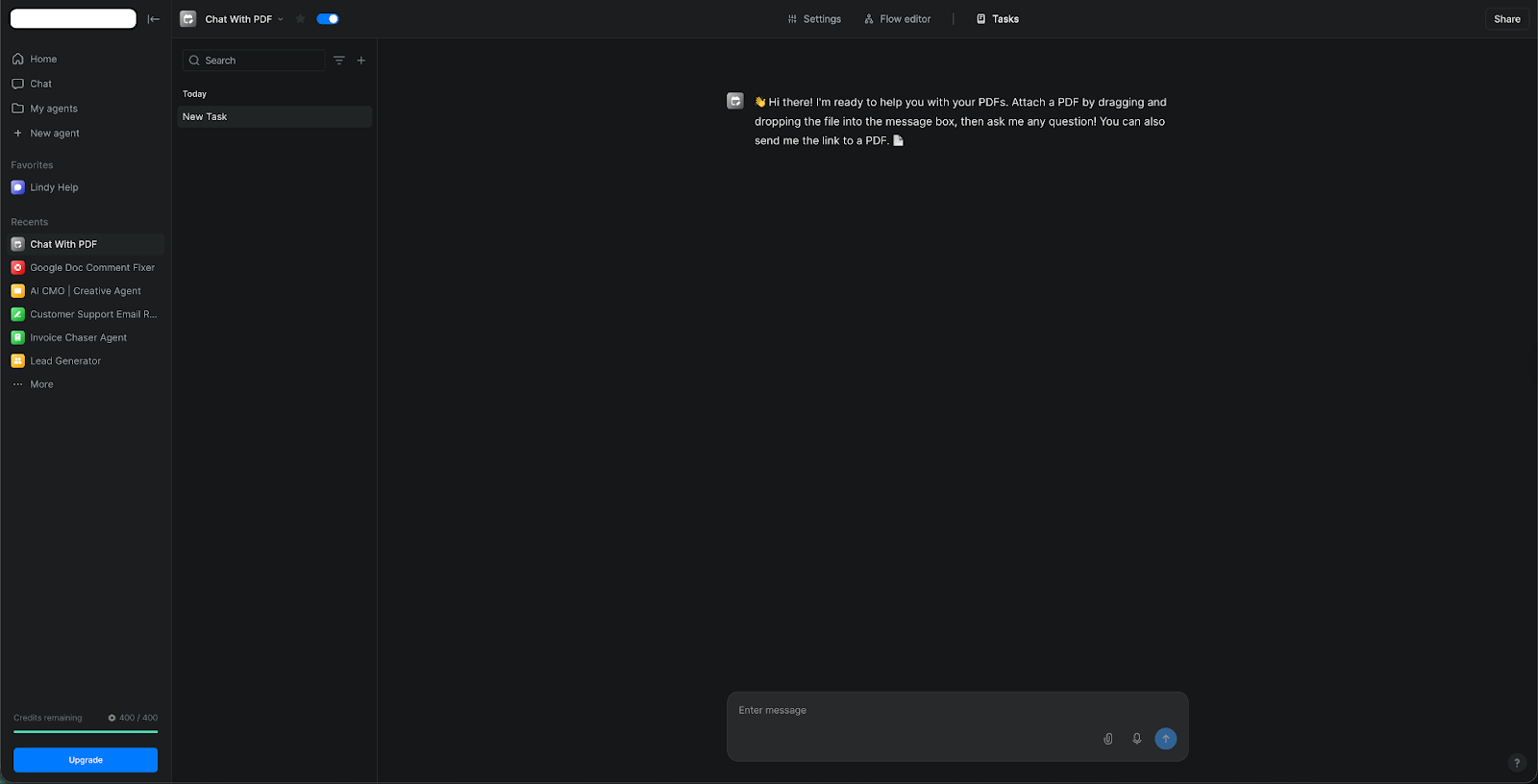
Lindy also keeps you in control. You can ask it to pause for approval before sending recaps or updating records, and it’s SOC 2 and HIPAA compliant, which is useful for sensitive work in areas like finance, real estate, or healthcare.
Over time, this kind of setup means summaries are created and routed as part of the normal workflow, instead of someone having to remember to run a manual summary each time.
Pricing
Lindy offers a 7-day free trial, and paid plans start at $49.99/month, billed monthly.
{{templates}}
2. Scholarcy: Best for academic papers and research
What does it do? Scholarcy turns academic papers and long articles into short, structured flashcards.
Who is it for? Students and researchers who read many PDFs and want a faster way to screen and understand them.
You start a new module or project, and your supervisor sends a stack of PDFs. Instead of opening each one in a separate tab, you drop them into Scholarcy, and it turns every paper into a summary flashcard with the question, methods, key findings, and key references.
The layout stays the same, so you learn to scan it. When a paper looks important, you can expand the summary for more detail or keep it short for a quick pass.
While you read, Scholarcy helps you see how each paper fits into the wider field. Spotlight links take you straight to important sections in the original text.
With Comparison and Findings, you can see how this article builds on earlier work and what the cited papers actually claim. A simple quality signal gives you a rough idea of whether a study deserves a full read before you invest the time.
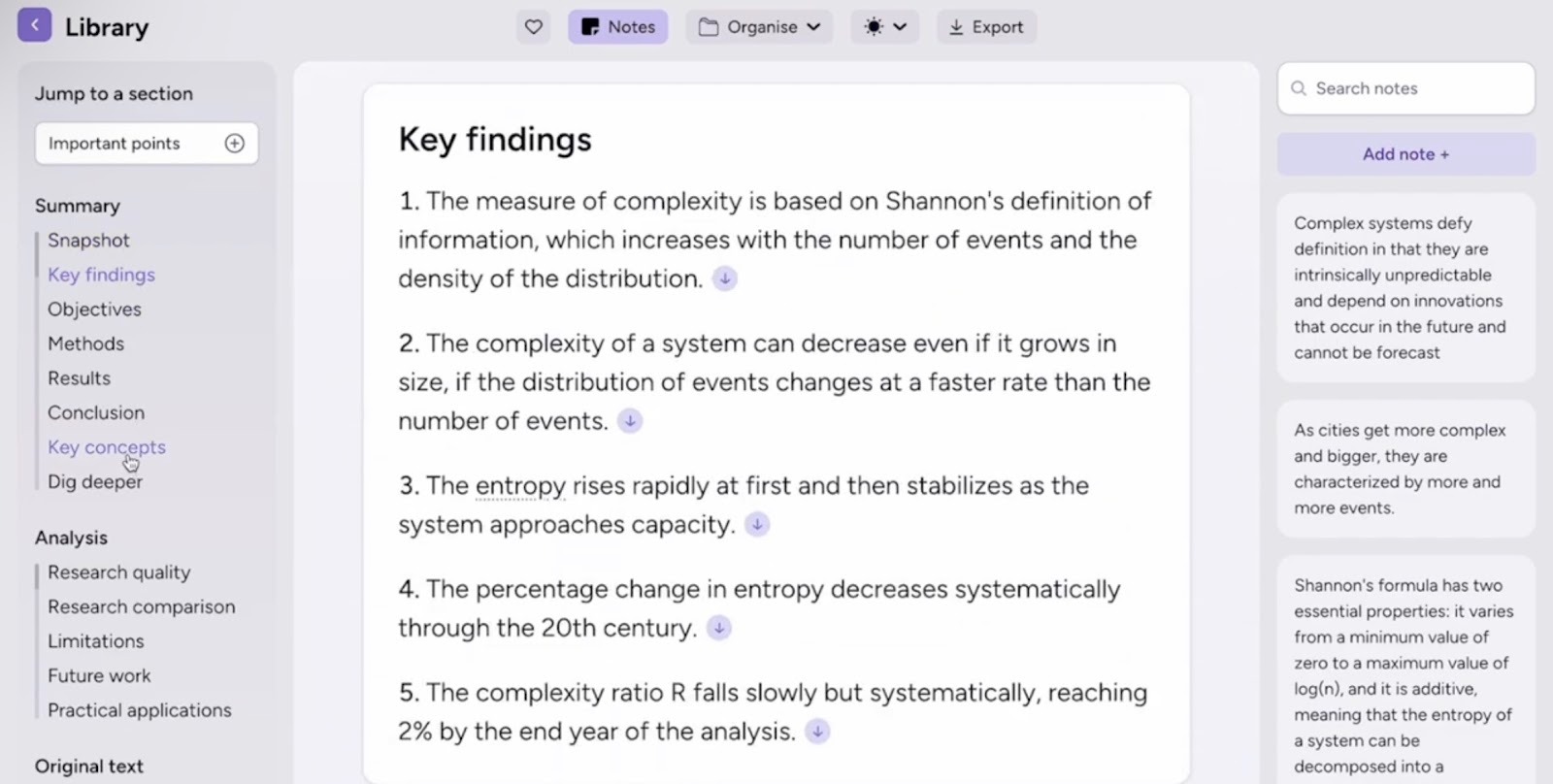
When you are ready to write, you can export a set of cards into a table or Markdown file and build your literature notes from there.
Citation details come with the export, so you spend less time fixing references. But, for very low-quality scans or heavily visual PDFs, a quick manual check is required to make sure nothing important was missed.
Pricing
Scholarcy offers a free trial and individual paid plans starting at $9.99/month.
3. SciSpace: Best for deep literature reviews
What does it do? SciSpace helps you search, summarize, and question large sets of research papers in one place.
Who is it for? Students and researchers who want a faster way to run full literature reviews.
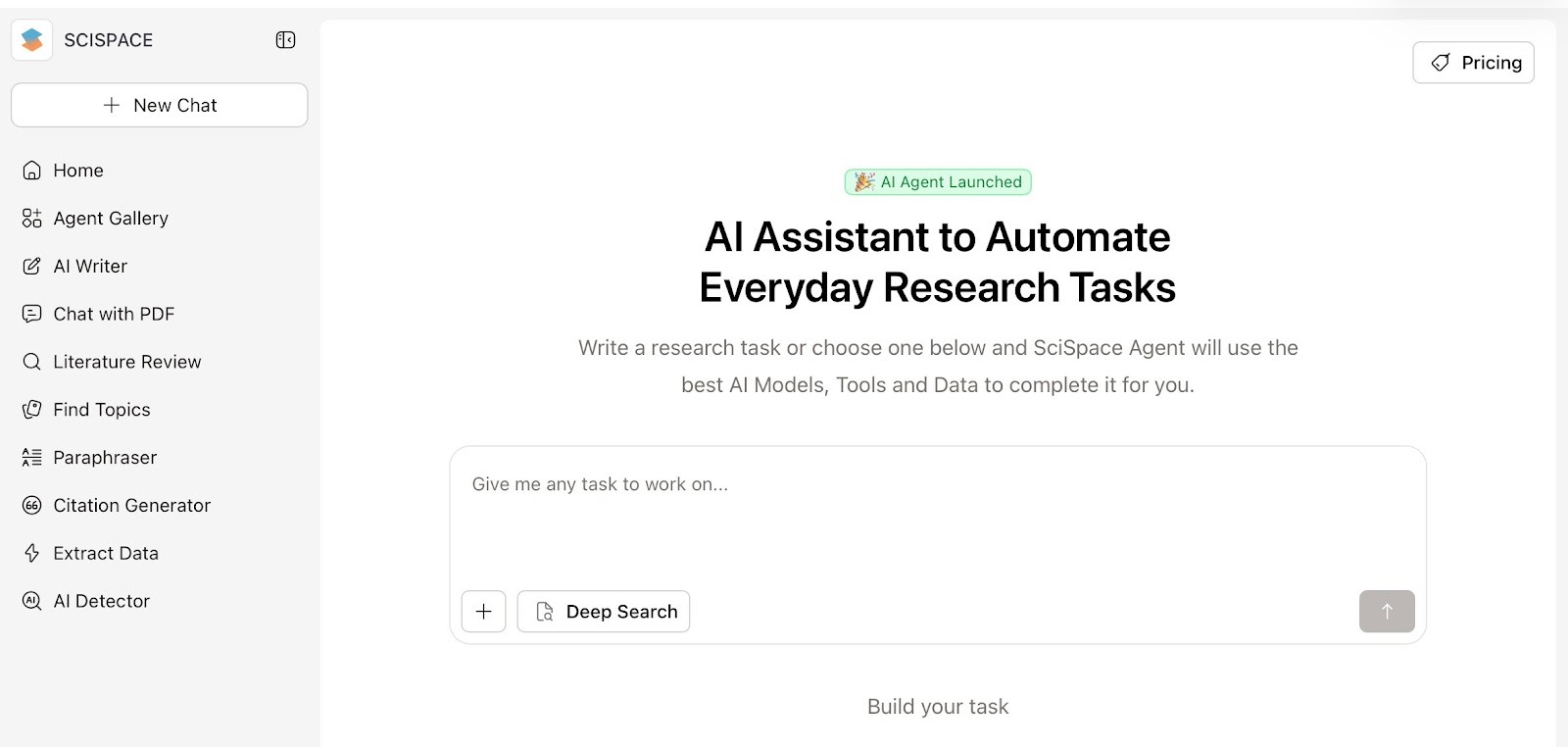
SciSpace starts at the search stage. You type a research question, pick how deep you want to go, and let it scan the field for you. A Standard Review gives a quick pass over a few hundred papers, while High Quality and Deep Review look at more than a thousand and group related work together.
The results are present in a table you can actually work with. You can filter by access type, journal, keywords, or citation count. It also lets you add your own columns for details like methods, limitations, or conclusions.
When you want details, you can ask it to summarize a section, explain a figure, or clarify a difficult paragraph, and it links each answer back to the exact place in the text.
Useful answers are saved straight into the built-in Notebook, so notes, takeaways, and early draft lines stay together instead of being spread across tabs and documents.
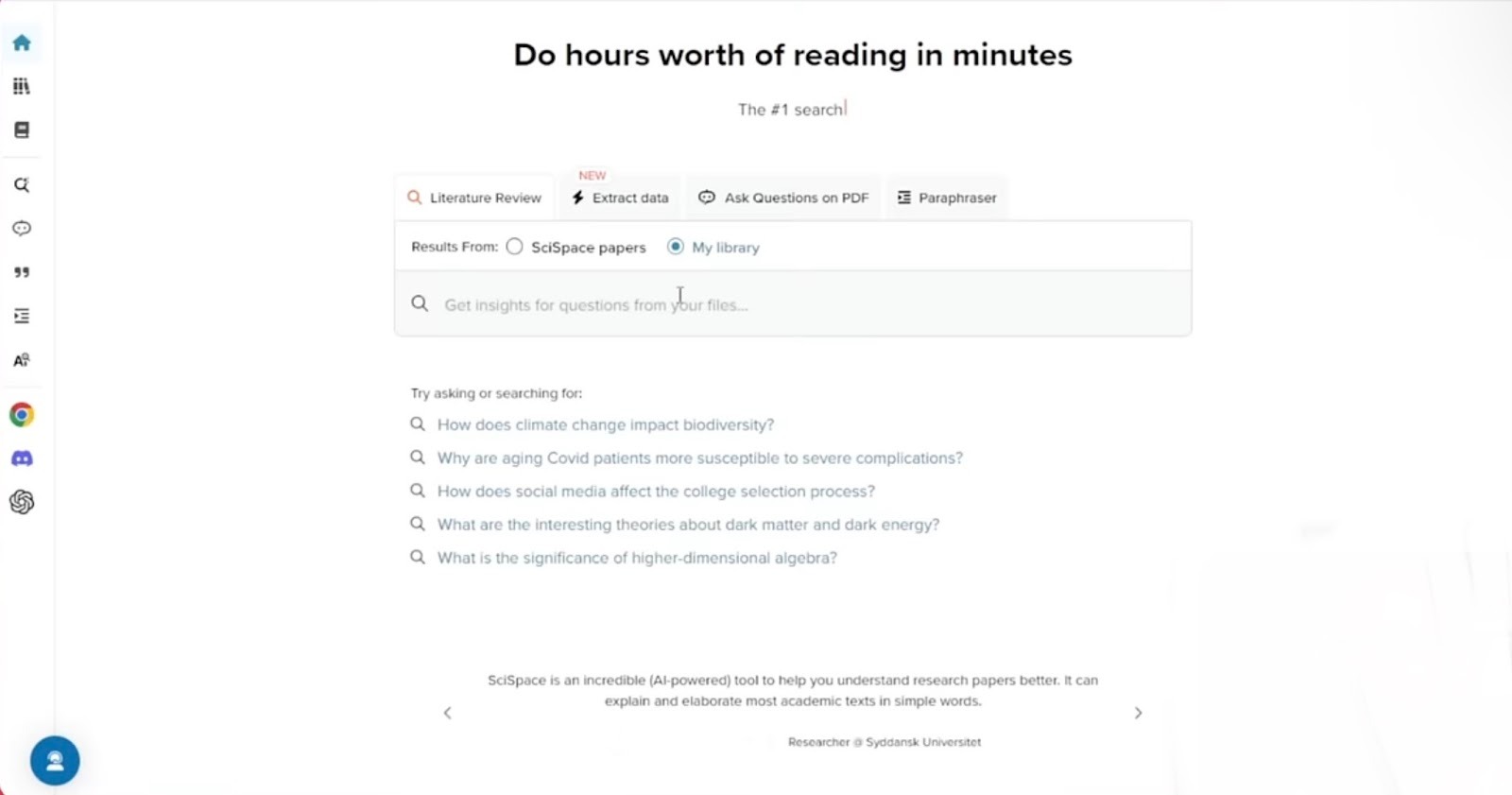
SciSpace puts many tools on one screen, so the interface can feel busy until you get used to it. If you often work with big reading lists, that extra complexity can still be worth it for the time you save on screening papers, taking notes, and writing up a review.
Pricing
SciSpace offers a free plan with limited actions. Paid plans start from around $20/month.
4. QuillBot: Best for everyday reading and writing
What does it do? QuillBot helps you shorten, clean up, and rephrase text with a built-in AI summarizer and paraphraser.
Who is it for? Students, professionals, and content writers who want quick summaries and clearer writing in the same place.
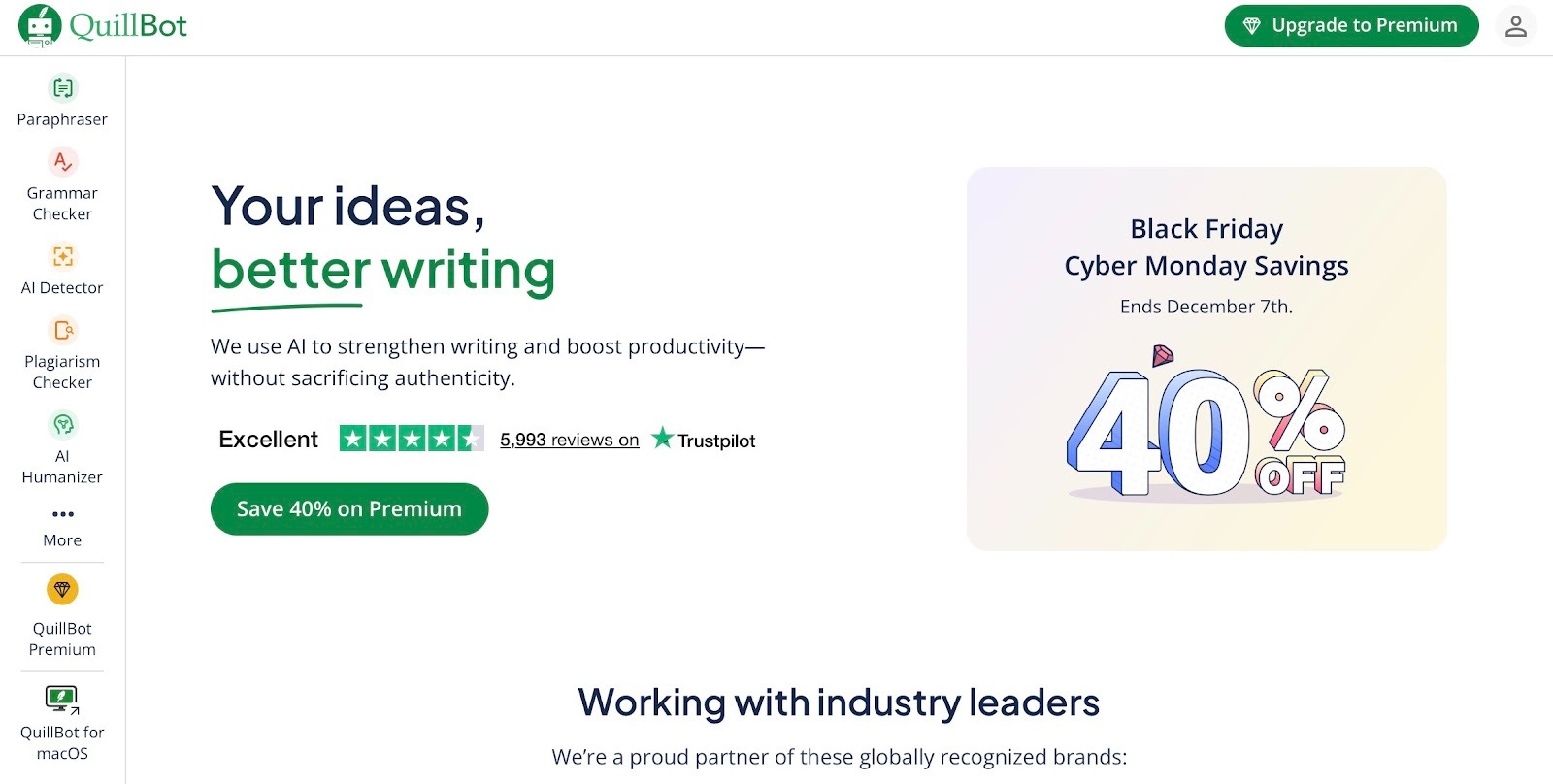
With QuillBot, you paste an article or report into the Summarizer, choose Paragraph or Bullet mode, adjust the length slider, and get a shorter version that keeps the main ideas.
It is enough to see whether the source is useful before you commit to a full read. The side-by-side view makes it easy to check that key points and terms are still there.
Once you know what matters, you can send lines or sections to the Paraphraser. That is handy when you are turning notes into slides, rewriting a clumsy paragraph, or simplifying an email for a non-expert.
You choose a mode that fits the job. I prefer Standard for light rewording, and Formal for a cleaner, more professional text. The synonym slider lets you decide how much to change, so the output can stay close to your voice.
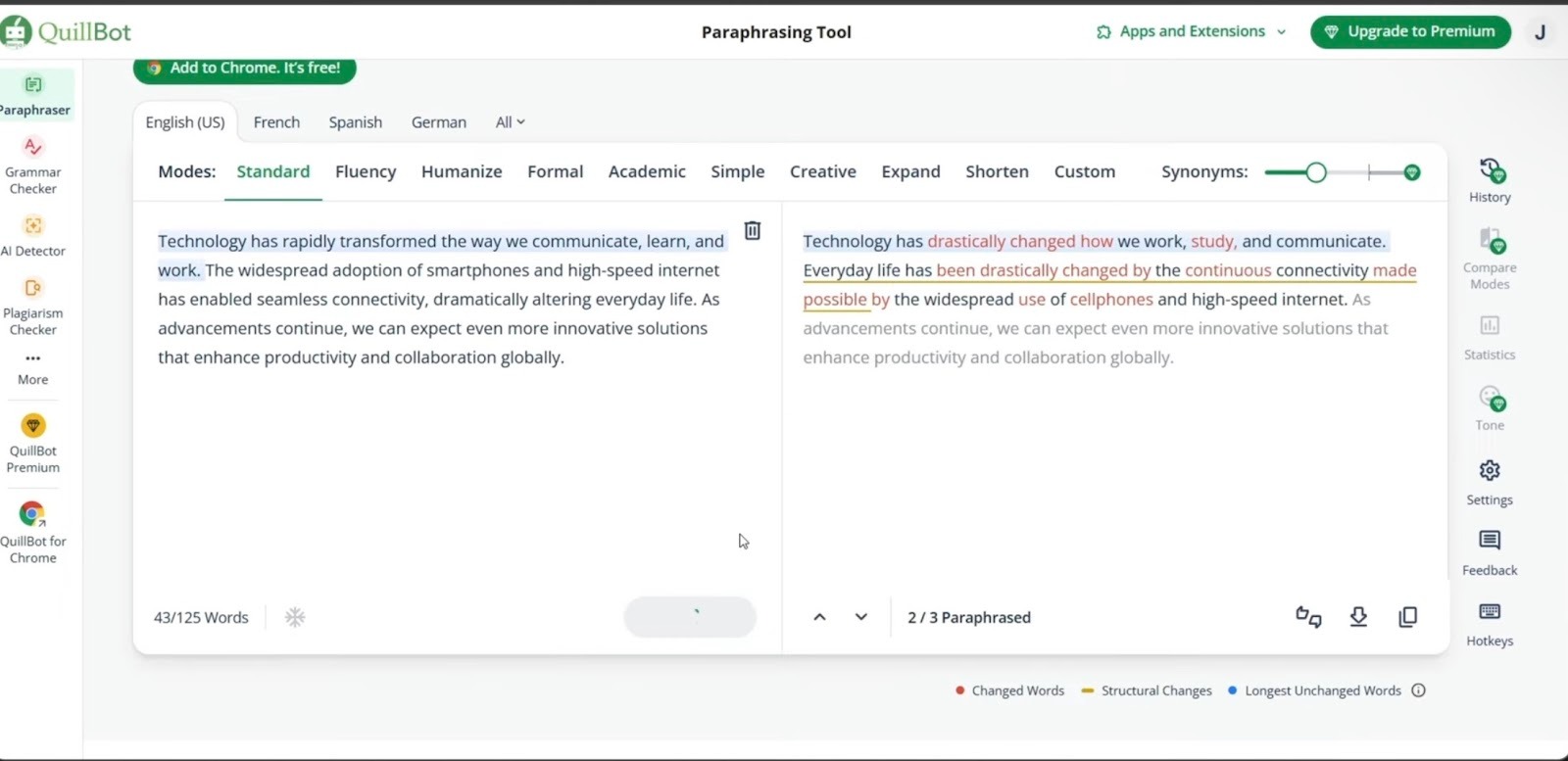
QuillBot works in the browser and inside tools like Word, so you do not have to leave your usual writing setup.
It is not designed for in-depth analysis of lengthy documents, and free users will encounter word limits on both summarizing and paraphrasing. For day-to-day reading and tidying up drafts, though, it covers a lot of ground without much setup.
Pricing
Both the Summarizer and Paraphraser have free versions with word caps. Premium plans at $19.95/month offer longer inputs, more modes, and extra controls.
5. Jasper AI: Best for marketing content teams
What does it do? Jasper helps marketing teams turn long-form inputs into short, on-brief summaries they can reuse across campaigns.
Who is it for? Content and marketing teams that work with lots of copy and want summarizing built into their content workflow.
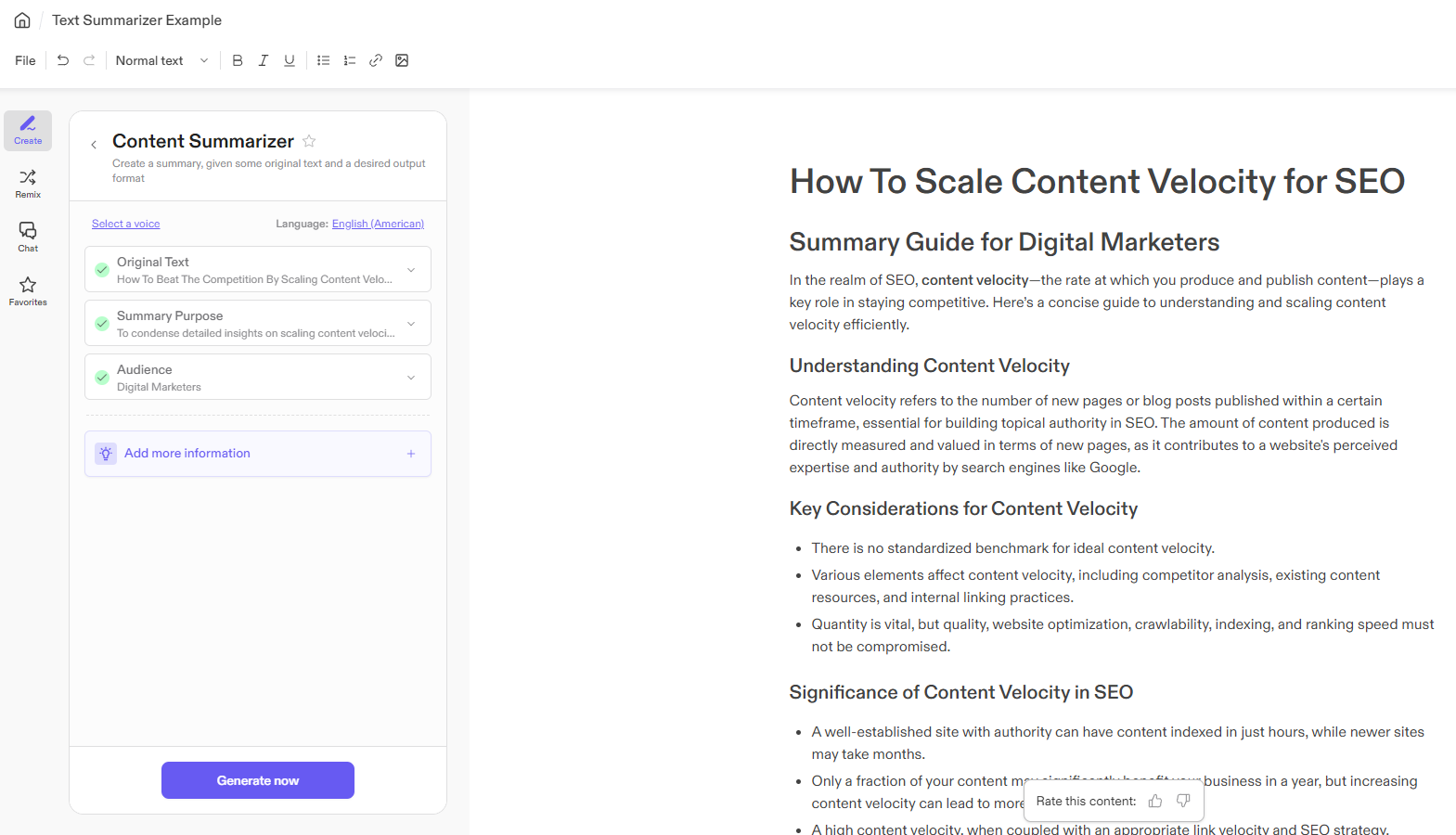
At the start of a campaign, teams often collect long briefs, research docs, and call notes. In Jasper, that material goes into the Content Summarizer template. You paste the text, choose a summary format, set the audience, and generate.
It condenses the content into a clear overview that keeps key messages, angles, and constraints. You can share that summary with stakeholders or use it as the base for later assets, so everyone is working from the same version instead of scrolling through pages of input.
The same approach works for ongoing work. You can first summarize a blog draft, webinar transcript, or performance report, and then reshape it into email intros, social posts, or ad copy from inside Jasper.
Because Jasper supports 25+ languages and lets you pick formality, that summary can be adapted for different regions without rewriting from scratch.
All of this sits inside a workspace that already knows your brand voice and style rules, so follow-up content built from the summary has a better chance of sounding consistent across channels.
Jasper is more than a simple summarizer and makes the most sense if you also use its broader content features. There is no permanent free plan, so it is best suited to teams with a steady content pipeline.
Pricing
Jasper is a paid platform with a 7-day free trial. Paid plans at $69/seat/month are designed for business and team use rather than one-off summarizing.
6. TLDR This: Best for quick web pages and articles
What does it do? TLDR This turns long web pages and documents into short, focused summaries in one click.
Who is it for? Students, writers, journalists, busy professionals, and people who read a lot online and want the main points fast.
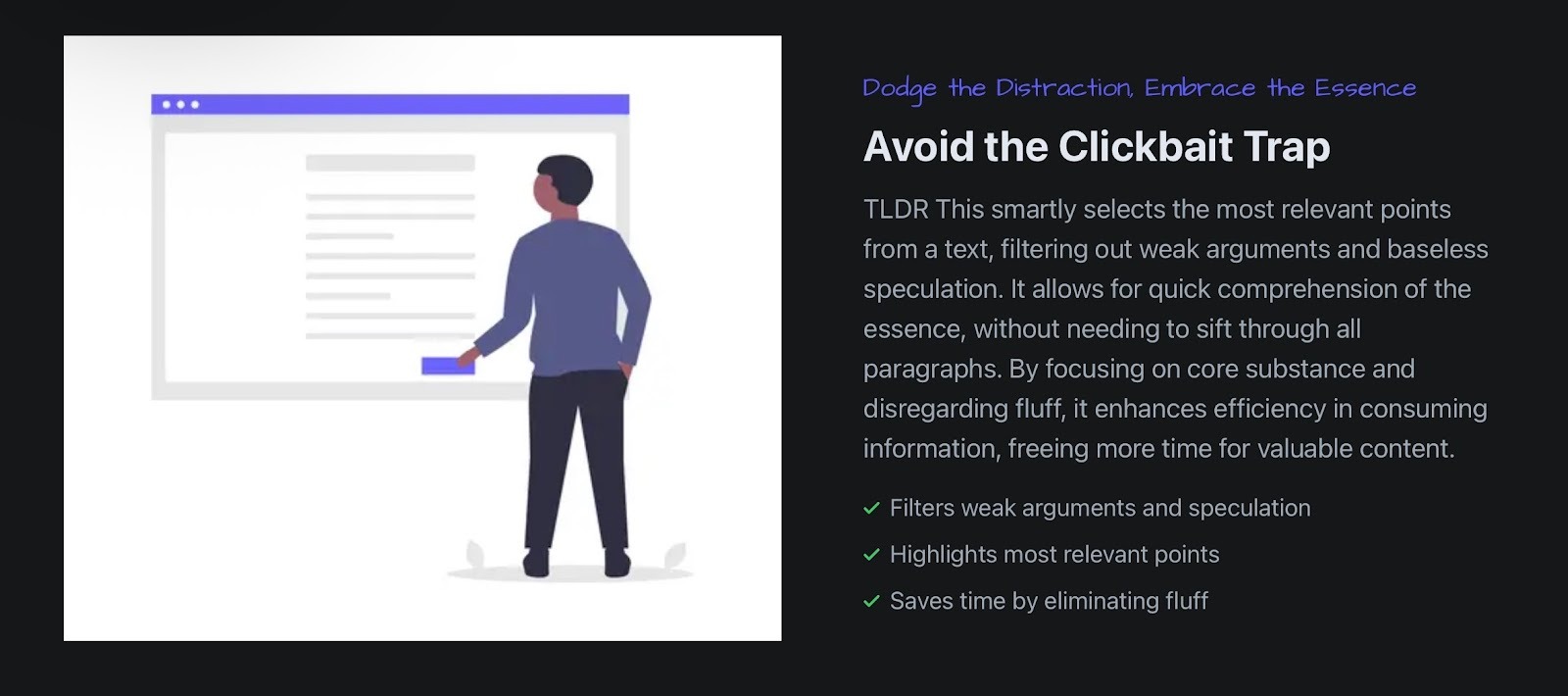
You open a long article and only need the gist. Instead of scrolling, you use TLDR This, hit Summarize, and read a clean version with the main points. The tool strips out ads, popups, and sidebars, and cuts weak or clickbait-style padding so you can see what the piece is actually saying.
The same idea works when you have several links open.
You can move through them one by one, get a summary for each, and then decide which two or three are worth keeping. That is useful if you are catching up on news, comparing opinions on a topic, or preparing for a meeting and only have a few minutes to spare.
It also works away from the browser. You drop in a PDF, Word doc, or paste text when you are working through reports or handouts. A student can summarize a chapter before revising. A journalist can cut a background piece down before drafting a short brief.
TLDR This works best as a quick filter, not a full research tool. It helps decide what to read in depth and get a fast feel for news, blogs, or reference pieces, but for detailed analysis or careful academic work, you still need to read the original text.
Pricing
You can start summarizing on TLDR This for free. Paid options start at $9.99/month.
7. Wordtune Summarizer: Best for long reports and videos
What does it do? Wordtune helps you turn long documents and videos into short, clear summaries.
Who is it for? Students, researchers, and professionals who deal with long reports, papers, or talks want to understand them faster.
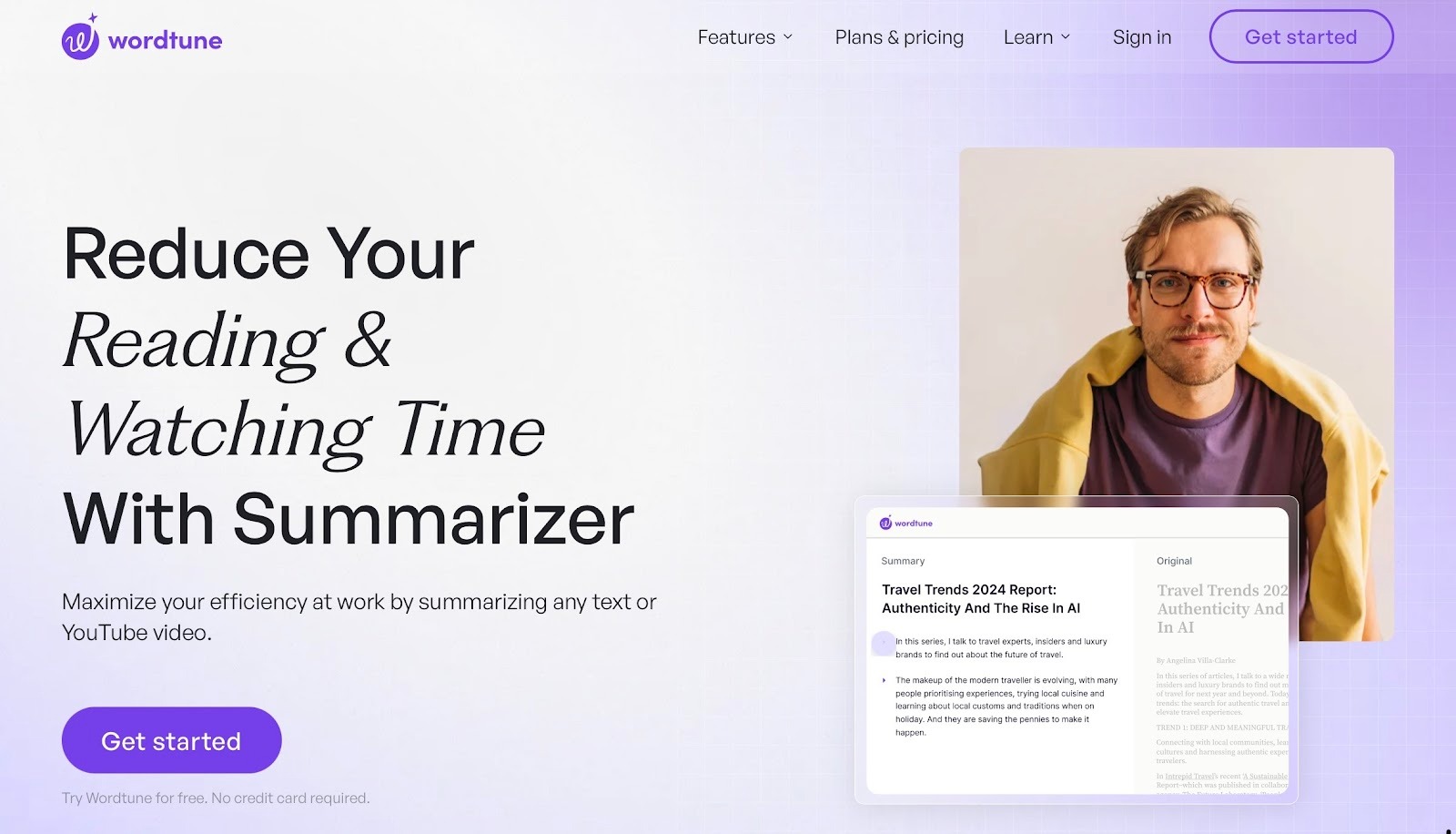
With Wordtune, you bring the material in first. That can be a 40-page report, a journal article, or a YouTube talk you do not have time to watch in full. It scans the content and produces a summary that highlights the main arguments, results, and examples.
You can scroll through the original and keep the summary panel open beside it, which makes it easier to link each point back to the source.
Because Wordtune also has rewriting and tone tools, you can take a key part of the summary and clean it up for an email, a slide, or a short note. It can adjust formality, fix grammar, and suggest alternatives, so the jump from “I understand this” to “I can explain this” is smaller.
For tricky claims, the fact check option compares against outside sources and flags issues, though that step can slow things down if you use it on every paragraph.
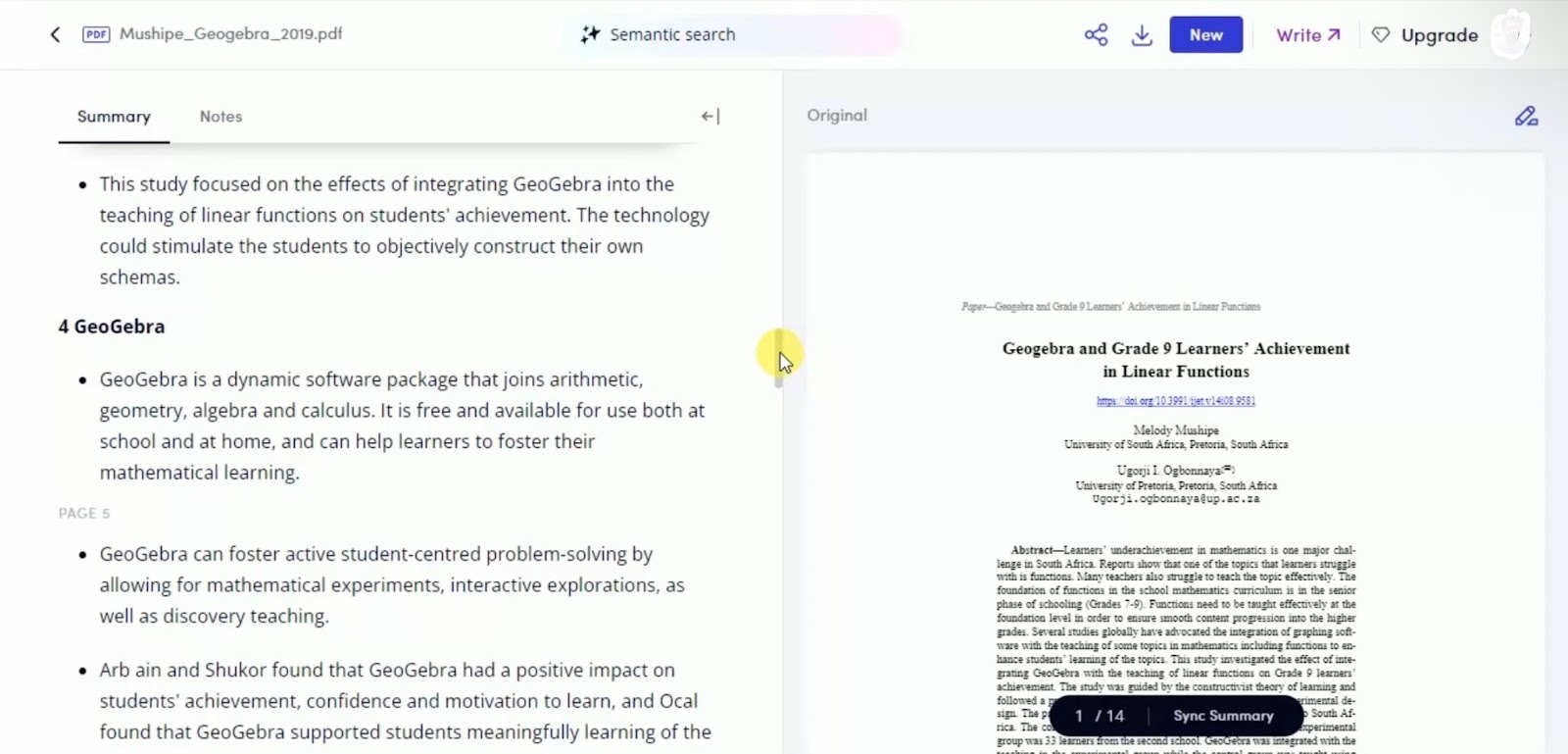
Wordtune is available as a web app and browser extension, so you can use it while reading on the web or inside online docs.
It works well when you need help with English phrasing alongside summarization, rather than only a short TL; DR. The free tier covers light use, but regular long reads and rewrites will likely push you toward a paid plan.
Pricing
Wordtune offers a free plan with limited summaries and rewrites. Paid subscriptions starting from $13.99/month increase limits and offer more advanced features.
8. Otter: Best for meetings and classes
What does it do? Otter records your meetings and classes, transcribes them, and turns them into summaries, key points, and action items.
Who is it for? Teams and students who spend a lot of time in calls or lectures, and want clear notes without typing everything themselves.
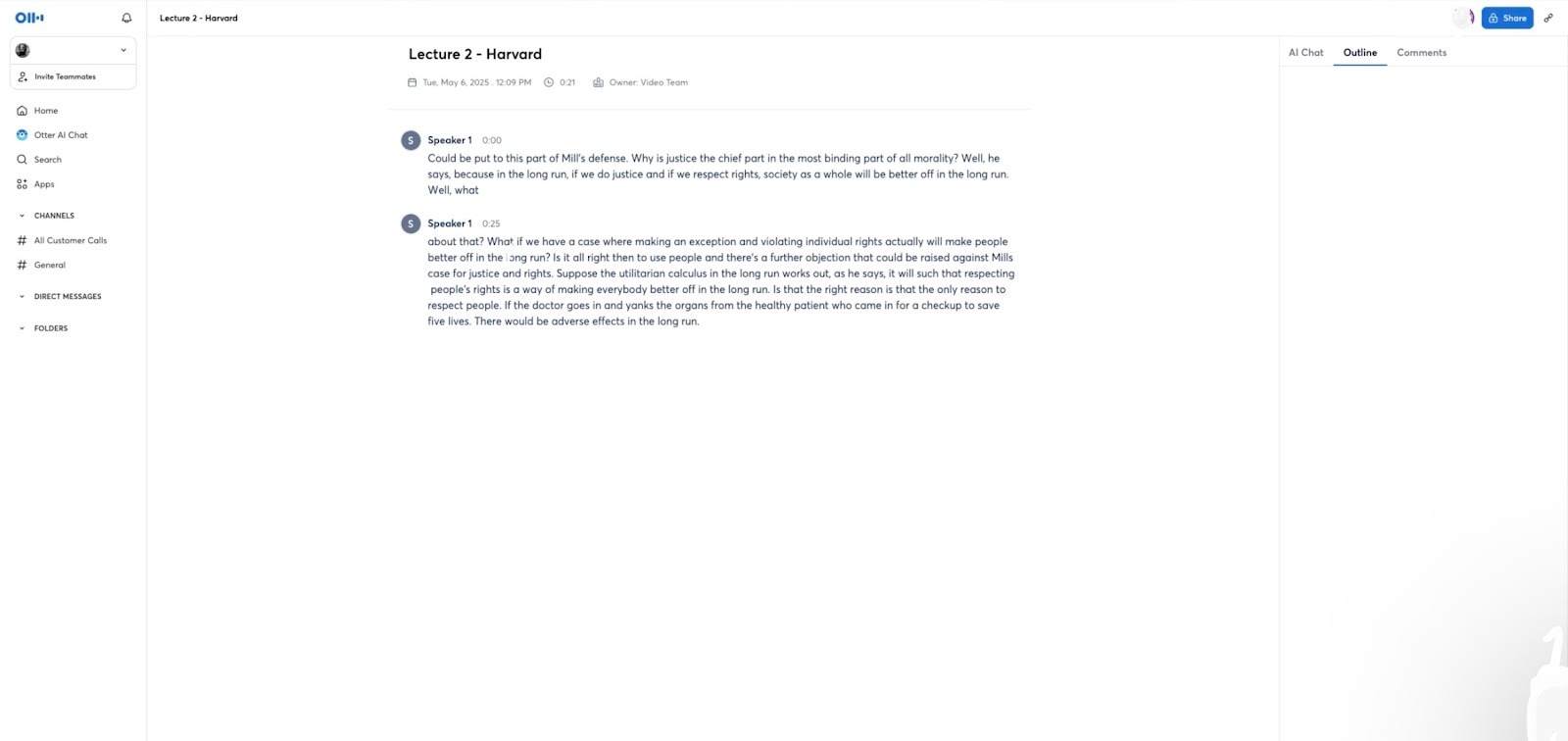
You add Otter’s meeting agent to a calendar invite for Zoom, Google Meet, or Microsoft Teams. It joins the call, records the audio, and creates a live transcript while people speak.
After the call, Otter produces a summary with main points and action items, so you can see what was decided without replaying the recording.
Over time, these transcripts form a searchable record of discussions, which helps when you need to revisit past decisions or share context with someone who missed the meeting.
For classes, the Education Agent works similarly. I connect it to my calendar, let it join lectures, and handle note-taking while I focus on listening. It highlights key concepts and assignments, then generates a summary after class.
Before exams, the lecture summaries and transcripts make it easier to review topics and find the part of a course where something was explained.
Otter syncs with Slack, Notion, Google Docs, Jira, and Asana, so summaries and tasks do not stay locked in one place.
Otter works best when it is added to most meetings and classes, which means you still need to follow recording and consent rules. It can also feel like more than you need if you only want the occasional transcription instead of an ongoing record.
Pricing
Otter has a free plan with basic transcription and summaries. Paid plans start at about $16.99/user/month, with higher limits, collaboration features, and admin controls.
9. Notta: Best for multilingual meetings and calls
What does it do? Notta records your meetings and calls, turns them into text, and then creates short summaries.
Who is it for? Teams and professionals who work across languages and need clear notes, action items, and follow-ups from calls.
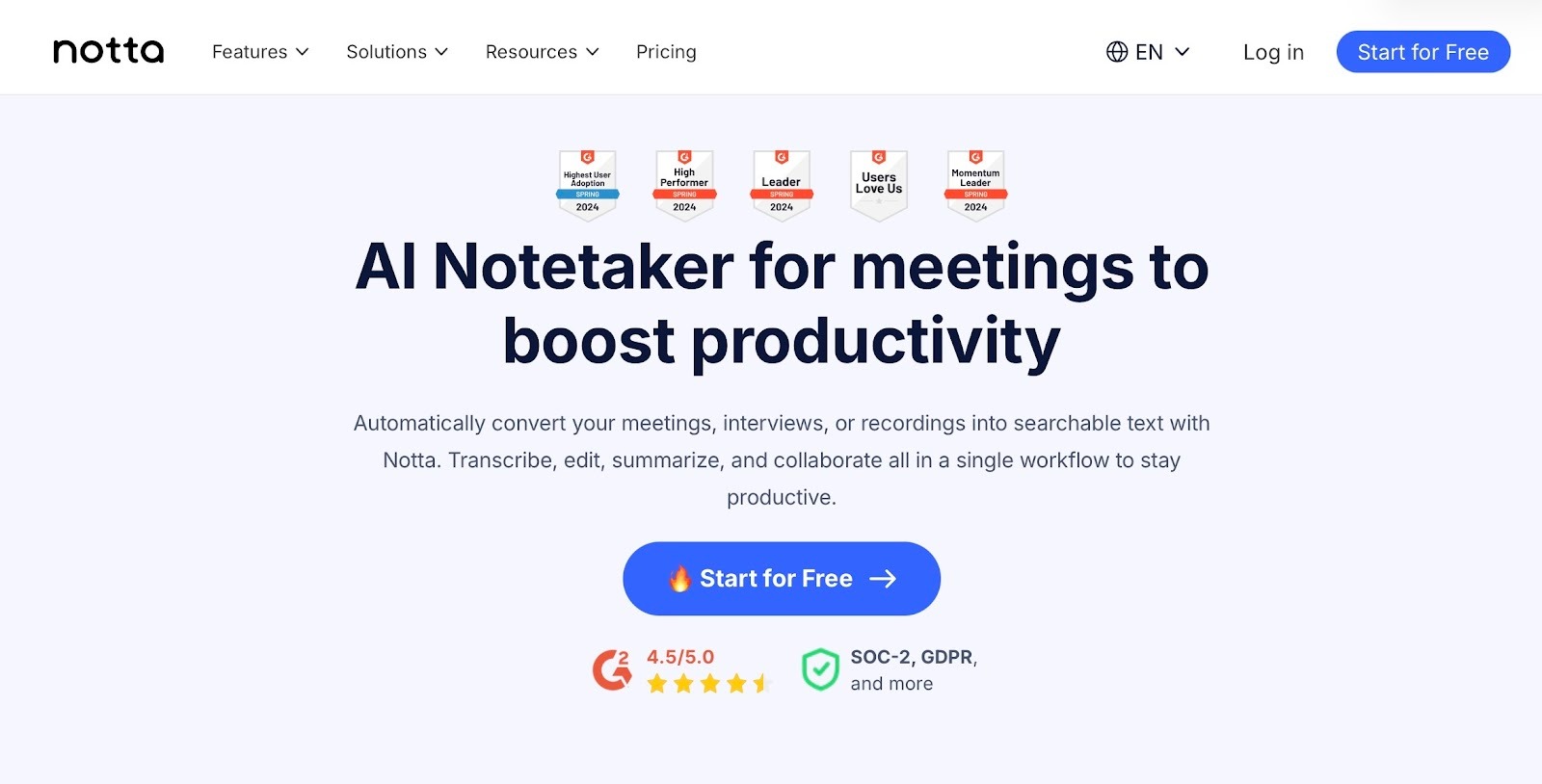
Notta suits teams whose main work happens in conversations. You start a call, open Notta in the browser or app, and let it record while people talk. It turns speech into a live transcript with speakers labeled, so you can follow along without typing.
When the call ends, you generate AI notes and get a summary with the main points, decisions, and follow-ups, instead of a long wall of text.
The same flow works for recordings you already have. You can upload audio or video files, or paste links from YouTube, Google Drive, or Dropbox. Notta processes them in a few minutes and gives you searchable text.
From there, you can translate the transcript into another language, create a recap for stakeholders, or cut clips that show only the moments others need to see.
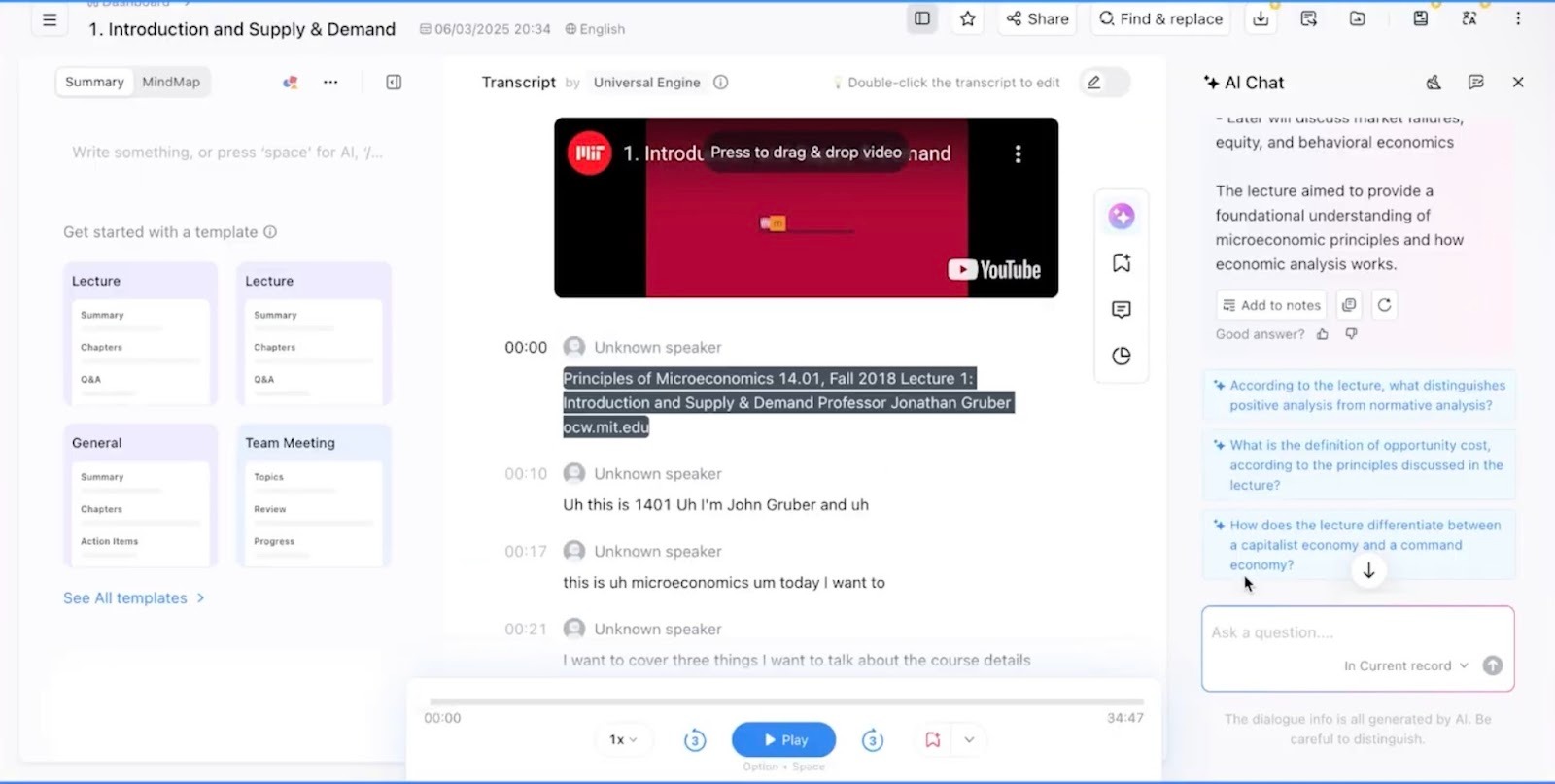
Notta is built for teams spread across regions. It supports many transcription languages and can translate transcripts into 40+ languages.
There are a few limitations. Accuracy still depends on clear audio and speakers who do not talk over each other, and the interface has many options, so it can feel busy at first. The free plan also includes limited minutes each month, so frequent meeting recording usually means upgrading to a paid plan.
Pricing
Notta has a free plan. Paid plans starting from $13.49/month add higher limits, more collaboration options, and team controls.
Which AI summarizer should you choose?
The right AI summarizer comes down to what you're summarizing, how often, and what you do with the output. A student screening papers, a marketer repurposing briefs, and a founder catching up on calls all need different tools. Here’s what to look for:
- Match the tool to your content type: Journal articles and research papers? Scholarcy and SciSpace. Marketing briefs and campaigns? Jasper AI. Tickets, email threads, and internal docs? Lindy.
- Decide if you need speed or structure: For a quick gist, TLDR This, QuillBot, or Wordtune handle web pages and short reports. For sections, methods, citations, or action items, go with Scholarcy, SciSpace, Lindy, Otter, or Notta.
- Check where your content lives: If you read mostly in the browser, a tool with extensions (TLDR This, QuillBot) keeps friction low. If your work sits in PDFs, CRMs, or calendars, pick tools that plug in directly.
- Consider language and collaboration: Multilingual teams or cross-border calls? Notta's translation and SciSpace's language support matter more. If multiple people need to read, edit, or comment, look for shared libraries or integrations with Slack, Notion, or your CRM.
- Think about what happens after the summary: If the summary is the final output, a simple tool works. If it's step one before emails, tickets, or content, Lindy, Jasper, Otter, or Notta sit closer to your workflow.
- Match pricing to usage: Summarizing a few items a week? Free or starter plans from QuillBot, TLDR This, Wordtune, or Scholarcy will do. Daily use or team workflows? Paid plans from Lindy or Jasper make more sense.
{{cta}}
Mistakes to avoid with AI summarizers
AI summarizers speed up reading, but the wrong setup or tool can waste more time than it saves. Here are the mistakes worth avoiding:
- Relying only on the summary and never checking the original: An AI summarizer should give you a shortcut, not replace the source. For important decisions, academic work, or anything high stakes, skim the original section or transcript, especially around results, limitations, and numbers.
- Treating every tool as if it works the same way: A quick AI notes summarizer like TLDR This or Wordtune Read is fine for a first pass on web pages, but not for detailed research. For academic work, tools like Scholarcy or SciSpace are safer because they are built for papers, citations, and methods.
- Picking a tool only because it is free or cheapest: Free plans are good for testing, but they often have strict limits or weaker controls. If you use an AI document summarizer daily for work or study, underpowered tools can cost you more time in cleanup than a paid tool would.
- Never adjusting length or format settings: Many AI summarization tools let you control length or choose between bullets and paragraphs. Leaving everything on default often gives results that are too short or too general. Spend a minute setting the summary style once, and reuse that pattern.
- Ignoring privacy and data security: Uploading contracts, medical reports, or internal decks into any random AI summarizer is risky. For sensitive content, stick to tools with clear security commitments and team controls (for example, Lindy, Otter, or Notta). When in doubt, avoid sending highly confidential documents at all.
- Using one tool for every type of content: A single “best AI summarizer” rarely exists. You might use one tool for research papers, another for web articles, and a different one for meetings and calls. Trying to force one app to cover everything often leads to weak summaries or extra manual work.
Try Lindy: Summarize, then act on what you learn
Lindy summarizes emails, docs, and meetings, then turns them into tasks, replies, or CRM updates automatically. Summarize a support ticket and create a task in your project tool. Summarize a meeting and send a recap to Slack. No extra steps.
Here's how Lindy goes the extra mile:
- Fast replies in your support inbox: Lindy answers customer queries in seconds, reducing wait times and missed messages.
- 24/7 agent availability for async teams: You can set up Lindy to run 24/7 for round-the-clock support, perfect for async workflows or round-the-clock coverage.
- Support in 30+ languages: Lindy can also handle phone call support in over 30 languages, letting your team handle calls in new regions.
- Add Lindy to your site: Add Lindy to your site with a simple code snippet, instantly helping visitors get answers without leaving your site.
- Integrates with your tools: Lindy integrates with tools like Stripe and Intercom, helping you connect your workflows without extra setup.
- Handles high-volume requests without slowdown: Lindy handles any volume of requests and even teams up with other instances to tackle the most demanding scenarios.
- Lindy does more than chat: There’s a huge variety of Lindy automations, from content creation to coding. Check out the full Lindy templates list.
Try Lindy’s free trial and start summarizing your documents today.
FAQs
1. What’s the best AI summarizer?
Lindy is the best summarizer if you want summaries that actually move work forward. It summarizes emails, docs, and meetings, then turns those summaries into next steps like tasks, replies, and updates in your existing tools, so teams save time and stay aligned without extra manual work.
2. How much does an AI summarizer cost?
AI summarizers cost from around $10/month to $50/month, depending on the tool you choose, how often you use it, and whether you work alone or in a team.
3. Can I use an AI summarizer for meeting notes?
You can use an AI summarizer for meeting notes by feeding it recordings or transcripts and asking for key points, decisions, and action items. With Lindy, those meeting summaries can also create follow-up emails, tickets, or tasks automatically, so the notes are directly connected to the next steps.
4. Is there a free AI summarizer tool?
Yes, tools like Notta, TLDR This, Otter, and SciSpace offer a free tier for AI summarization, which is ideal for light or trial use. With these free tiers, you can test them in real workflows, and only upgrade when you need more capabilities or team-level features.
5. Are AI summarizers accurate enough for academic research?
AI summarizers are accurate enough for academic research as a first pass, not as a replacement for reading the paper. You can use tools like Scholarcy or SciSpace to process PDFs, then use Lindy to summarize your notes, track reading lists, and turn research summaries into tasks, outlines, or follow-ups.








Blog
Related Articles

%20(1).png)

%20(1).png)
.png)
.png)
The AI assistant that runs your work life
Lindy saves you two hours a day by proactively managing your inbox, meetings, and calendar, so you can focus on what actually matters.
