


Automate Invoice Data Extraction in 5 Steps With Top AI Tools


I tested popular invoice data extraction tools and dissected where manual invoice processing breaks. Here’s my guide on how to automate invoice data extraction so teams spend less time on data entry, maintain clearer decision trails, and achieve higher accuracy.
What is invoice data extraction?
Invoice data extraction is the process of automatically capturing key details from invoices and converting them into structured digital formats for accounting or operations tools.
These details are often vendor names, invoice numbers, dates, totals, taxes, and every line item that matters. You can then turn this unstructured file into structured data that your accounting or operations tools can use.
Most teams still do this by opening a PDF, reading it line by line, and typing the information into a spreadsheet or accounting platform. That workflow slows everything down, increases error rates, and creates bottlenecks whenever volume spikes.
Invoice data extraction tools solve this pain. They capture the same fields from scanned documents, email attachments, or uploaded PDFs with consistent formatting and fewer mistakes. You can also see data instantly for reconciliation, reporting, or approvals.
These tools help you move accurate invoice data to the right place without manual effort. This convenience is the reason why finance and operations teams push for automated invoice extraction.
Why AI invoice data extraction beats traditional methods
AI invoice data extraction is better than traditional methods because it processes invoices faster, with fewer errors, and without the manual bottlenecks that slow finance teams down.
Manual extraction depends on people reading PDFs, switching between systems, and re-entering the same fields into accounting software. That approach breaks down as volume increases and creates delays during approvals, reconciliation, and month-end close.
AI reads invoices across formats, understands common invoice structures, and captures vital information. It can document totals, taxes, and line items in a consistent way. The data moves directly into your accounting or reporting tools without repeated handoffs.
Here are a few advantages:
- More consistent results: The same extraction rules apply to every invoice, which reduces formatting issues and cleanup work later.
- Clear audit trails: Structured records make it easier to trace where numbers came from during audits or reviews.
- Lower effort as volume grows: The system handles spikes without adding headcount or temporary staff.
- Flexibility across vendors: New layouts and formats don’t force you to rebuild templates or change workflows.
Traditional data extraction vs AI data extraction
I compared the two methods across the most important factors that matter to finance and accounts teams. Here’s how they stack up:
Manual processes give teams visibility, but they slow down as invoice volume grows. AI performs better at scale, which is why the next step is setting up invoice data extraction in a structured, repeatable way.
5 steps to automate invoice data extraction
Automating invoice extraction makes much more sense when you have clarity on what data you need, how invoices arrive, and where that data should go. These are the five steps to follow:
Step 1: Determine the data you want to extract
Start with the fields your team uses every day. Capture vendor names, invoice numbers, issue dates, due dates, currency, totals, and taxes. Add the line items that drive reporting, like descriptions, quantities, unit prices, and SKUs.
If your finance team codes expenses by cost center, GL account, project ID, or department, include those as well. Talk to the people who close the books or reconcile statements. They know what slows them down and which fields cause the most rework.
Step 2: Pick an AI automation platform
Choose the place where OCR, extraction logic, and workflows live. The right platform reads PDFs, images, and email attachments, understands invoice layouts, and sends structured data to the tools your team already uses.
I’ll share five strong options later, but your evaluation lens stays simple. Check whether the platform supports your file formats, integrates with your accounting or reporting stack, meets compliance requirements, and offers pricing that matches your invoice volume.
Step 3: Configure your workflow
Set up clear inputs. Most teams accept invoices through email, uploads, shared folders, or vendor portals. Map each input to the extraction rules you defined earlier. Add validation checks for key fields to catch missing or unusual data.
Build error handling that routes exceptions back to a human instead of silently failing. Connect your outputs to accounting software, spreadsheets, or BI tools.
This is where things usually break, because every team has a few invoices that refuse to fit the pattern. Keep your configuration simple until the system handles the basics well.
Step 4: Test and refine your workflow
Run a small batch of historic invoices, especially from vendors with inconsistent layouts. Check field coverage and confirm the AI captures totals, taxes, and line items accurately. Review where it misses information or extracts the wrong value.
Make sure the system surfaces errors in a way your team can act on quickly. Fix the weak spots and test again. Iteration matters more than perfection on the first pass because real-world invoices expose edge cases you will not predict upfront.
Step 5: Deploy gradually and monitor
Roll out the workflow in stages. Start with a single client or region, then expand as confidence grows. Watch exception rates, manual overrides, and cycle times. If issues cluster around certain vendors or invoice types, tighten rules or adjust validation.
Add human-in-the-loop control for high-value invoices or edge cases so your team can review before data moves downstream. This way, you can stabilize the system and give your team space to trust it.
What to look for in an invoice data extraction software
The right invoice data extraction software should capture invoice information accurately, handle different formats reliably, and push data directly into your accounting or ERP system. If it requires manual cleanup or frequent corrections, it defeats the purpose of automation.
Here’s how to pick the right tool:
- Accuracy and field coverage: Pick a tool that reads invoices reliably across vendors, formats, and layouts. Capable OCR and well-trained invoice models reduce manual correction and cut cycle times.
- Real-time extraction: You want systems that process invoices as they arrive. Instant extraction keeps approvals moving and stops small delays from stacking into end-of-month bottlenecks.
- Customization: Look for field-level controls, logic for exceptions, and the ability to adjust extraction without calling a developer. Customizable outputs help your team maintain consistent reporting.
- Security and compliance: Finance and healthcare teams need SOC 2, HIPAA, GDPR, encryption, and role-based access. Tools that handle sensitive data should meet these standards by default, not as optional add-ons.
- Integrations: Your invoices rarely live in one place. Strong integrations with accounting software, CRMs, ERPs, spreadsheets, and internal databases eliminate manual transfers and reduce missed entries.
- Pricing and volume fit: Platforms charge you based on page, workflow, credit, or agent workload. Choose the model that matches your invoice volume, not the one that looks cheapest upfront. Unexpected overages can make a “simple” tool expensive fast.
Top 5 invoice data extraction software: TL;DR
I picked the tools that focused on accuracy, workflow strength, and whether they fit different teams. Below is a brief comparison of the top 5 tools:
These tools cover very different needs. Lindy supports teams that want extraction and the work around it. Azure and Astera fit large environments. Docparser and Nanonets handle focused parsing and workflow cases.
Let’s explore these tools in detail.
1. Lindy – For AI agents that handle invoices and the work around them

Lindy works as a no-code AI agent builder built for SMBs and lean operations teams. It reads invoice attachments from email, extracts the fields your finance team needs, and sends that data to your accounting or reporting tools.
You can also automate the tasks that surround invoices with Lindy, including follow-ups, reminders, and internal notifications. This gives teams a way to manage invoice extraction and the admin work that follows without juggling separate tools.
Lindy supports sensitive workflows with SOC 2, HIPAA, and GDPR compliance, which makes it safe for clinics, healthcare operators, and finance teams that handle regulated data.
Features
- Prebuilt templates for capturing invoice attachments from email and routing them through extraction steps.
- Drag-and-drop workflow builder to create agents that read invoices, extract line items, and move data into your systems.
- 4,000+ integrations with Google Sheets, CRMs, accounting platforms, and internal databases through APIs and webhooks.
- AI voice agents that can handle billing queries and support tasks.
Pros
- Easy to use for non-technical users who want to build and adjust AI agents.
- Works well for teams that want invoice extraction and the surrounding workflow in one place.
- Quick to launch with no-code setup and templates.
- Human-in-the-loop controls for approvals, escalations, and exceptions.
Cons
- Requires some initial workflow design before it feels natural.
- Can feel complex if you do not plan to automate tasks beyond extraction.
Pricing
- Free plan with up to 40 tasks/month
- Paid plans from $49.99/month, billed monthly
Bottom line
Lindy is an ideal tool when you want AI agents to handle invoice data extraction and the operational steps that follow. It suits teams that need automation across the entire invoicing workflow.
{{templates}}
2. Azure Document Intelligence – For enterprises in the Microsoft ecosystem

Azure Document Intelligence gives large teams a scalable way to extract invoice data across thousands of documents. It fits naturally into environments that already rely on Azure services, Power Automate, or Microsoft-based accounting systems.
The platform reads PDFs, images, and scanned invoices, identifies key fields and line items, and sends the structured data into your downstream tools through APIs or workflow builders.
It works well for organizations that need high throughput, predictable performance, and support for strict compliance requirements.
Features
- Prebuilt invoice model that extracts vendor names, totals, dates, taxes, currencies, and line items across varied formats.
- APIs and SDKs for integrating extraction into enterprise workflows.
- Support for images, scans, and mobile captures through advanced OCR.
- Custom document models that learn from your layouts and improve accuracy over time.
- Azure-native security, identity management, and compliance controls for regulated teams.
Pros
- Scales easily for teams that process thousands of invoices each month.
- Natural fit for companies already working in Azure or using Microsoft databases and automation tools.
- Strong documentation and developer support for custom workflows.
- Enterprise-grade security and compliance posture.
Cons
- Setup requires technical resources, which can slow initial deployment.
- Pricing becomes complex when you combine prebuilt, custom, and query-based models.
- Not ideal for smaller teams without engineering support.
Pricing
- Free plan gives you 500 pages processed per month
- Pay-as-you-go pricing per 1,000 pages for different plans, with separate fees for custom extraction and advanced features.
Bottom line
Azure Document Intelligence works best when invoice extraction must plug into a larger enterprise system. It offers strong accuracy, scale, and control, but it shines most in organizations that already run their operations on the Microsoft stack.
3. Docparser – For predictable invoice formats and template-based parsing

Docparser gives small and mid-sized teams a simple way to extract structured data from recurring invoice layouts. It works well when vendors use consistent formats and your workflows depend on predictable fields.
The platform reads PDFs, scanned images, and Word documents, then routes the extracted data into spreadsheets, accounting platforms, or custom systems. It suits teams that want reliable parsing without building complex automation or training custom AI models.
Features
- OCR-based parsing for PDFs, images, and scanned invoices.
- Template builder that maps invoice fields to structured outputs.
- Export options for CSV, Excel, JSON, APIs, and integrations with tools like Google Sheets.
- Barcode and QR code detection for routing invoices or identifying document types.
- Parsing rules for recurring files and scheduled processing.
Pros
- Strong fit for teams with stable, repeatable invoice formats.
- Easy setup and quick results without technical skills.
- Affordable entry pricing for smaller finance and operations teams.
- Reliable extraction when layouts do not change often.
Cons
- Struggles with inconsistent or highly varied invoice designs.
- Limited flexibility compared to AI-driven platforms.
- Not built for regulated industries that need HIPAA or advanced security controls.
Pricing
- No free plan, only a 14-day trial
- Paid plans from $39/month, billed monthly
Bottom line
Docparser works well when your invoices arrive in predictable formats, and you want fast, inexpensive extraction. It handles structured parsing with ease, but it is not the ideal choice for teams that deal with complex layouts or need automation beyond invoice data.
4. Nanonets – For teams that need flexible invoice OCR and workflow automation

Nanonets lets teams extract invoice data and automate the steps around it. It supports invoices, purchase orders, receipts, and other finance documents, which makes it useful for operations that handle multiple formats.
The platform reads scans, PDFs, and images, captures key fields, and pushes the structured data into ERPs, accounting tools, or internal systems. It suits growing teams that want strong OCR performance and customizable workflows without building their own AI models.
Features
- Pretrained invoice OCR models with options to fine-tune layouts for better accuracy.
- Workflow builder for approvals, routing, and multi-step automation.
- Integrations with accounting platforms, ERPs, and cloud databases.
- Analytics for tracking extraction quality, throughput, and model performance.
- Support for large, mixed datasets across finance and operations.
Pros
- Good OCR accuracy across messy or inconsistent invoice layouts.
- Flexible workflow engine that reduces manual routing work.
- Usage-based pricing fits teams with unpredictable invoice volumes.
- Good match for companies that process many document types, not only invoices.
Cons
- Pricing becomes harder to predict at scale because charges follow workflow activity.
- The platform may feel heavy for small teams with simple parsing needs.
- Setup takes time if you manage many document categories.
Pricing
- Free plan with $200 worth of credits when you create an account
- Requires a custom quote from their sales team
Bottom line
Nanonets works well when you need reliable invoice OCR and flexible automation. It supports teams that handle varied documents and want a system that grows with their volume and complexity.
5. Astera – For enterprises that want invoice extraction inside a broader data stack
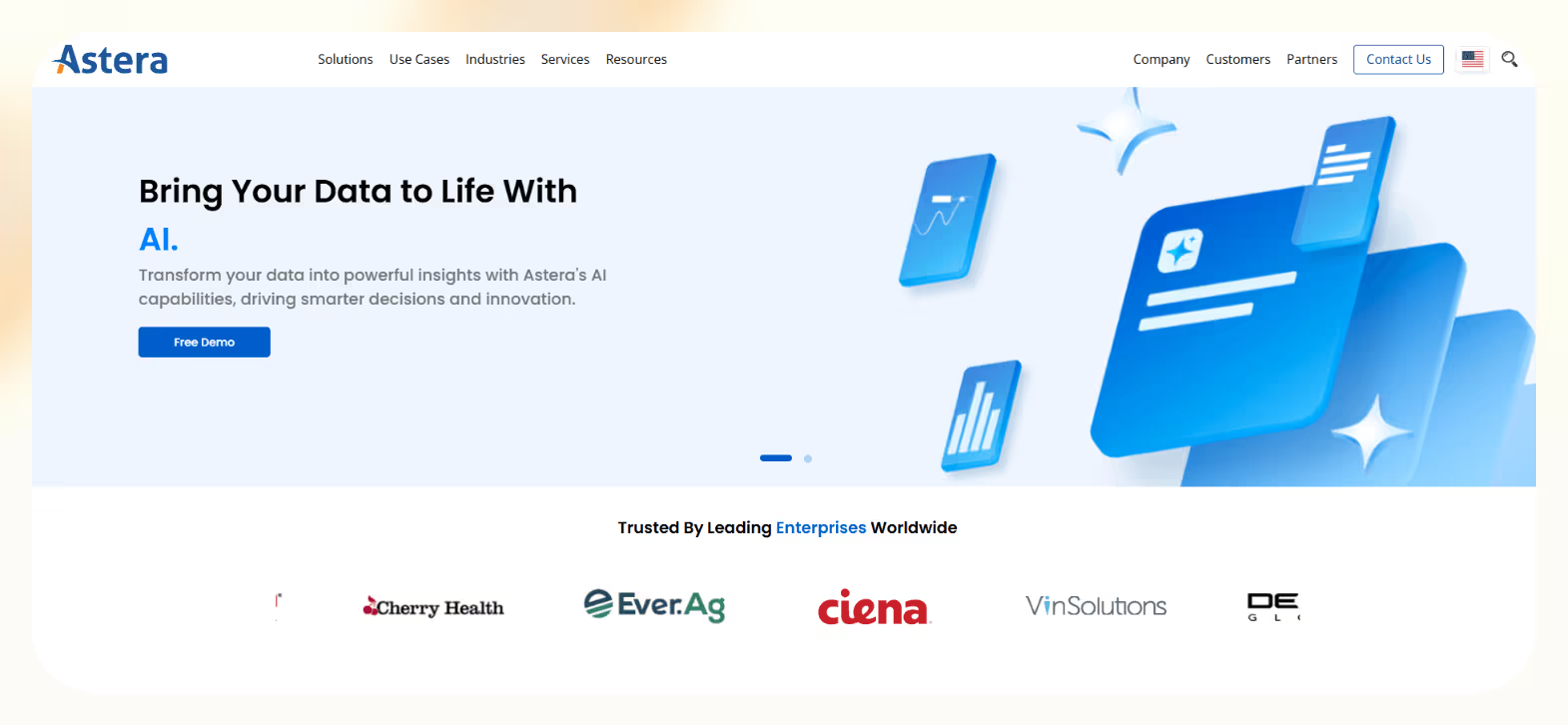
Astera gives large teams a unified platform for document processing, data integration, and workflow automation. Invoice extraction becomes one piece of a larger system that can clean, transform, and route data across cloud apps, warehouses, and legacy environments.
The platform reads PDFs, images, and spreadsheets, converts them into structured tables, and sends the results to downstream systems. It works well for enterprises that want invoice processing to live within a full data pipeline rather than a standalone tool.
Features
- AI-powered extraction for PDFs, images, and multi-page documents, including line items and structured fields.
- Workflow builder for routing, approvals, validation, and multi-step automation.
- Data integration tools for combining invoice data with other internal sources.
- Support for modern and legacy systems, which helps teams migrate or modernize older data flows.
- Enterprise security and governance controls for regulated environments.
Pros
- Strong fit for complex organizations with many data sources and document types.
- Invoice extraction connects to broader data pipelines and analytics.
- Supports modernization projects and hybrid environments.
- Handles high volumes without major process redesign.
Cons
- Overkill for small teams that only need basic invoice extraction.
- Pricing is not transparent and requires a sales conversation.
- Setup may feel complex if you do not need the broader data stack.
Pricing
- 14-day free trial to test the tool
- Custom quote, contact sales for more details
Bottom line
Astera fits enterprises that want invoice extraction within a full data and automation ecosystem. It can handle large volumes of invoices, supports complex environments, and works best when extracting invoice data is only one part of a larger workflow.
Industries that benefit from AI-driven invoice automation
AI invoice data extraction works best for teams that handle high invoice volumes, such as accounting firms, healthcare providers, and multi-entity businesses. Here are the industries that benefit the most from it:
Healthcare
Clinics, labs, and medical groups handle invoices tied to equipment, testing, referrals, and services. They need accuracy, traceability, and strong compliance controls, like HIPAA, audit logs, and access rules. Healthcare teams see clear gains when AI invoice extraction becomes consistent and secure.
Financial services
Banks, investment firms, insurance companies, and accounting teams manage large volumes of invoices that feed into reconciliations and reporting. Errors slow down the month-end close and trigger long review cycles. AI reduces manual checks and creates structured data that supports audits, risk reviews, and regulatory requirements.
Logistics and supply chain
Shippers, freight forwarders, and warehouse operators receive invoices from many vendors with wildly different layouts. Some come through electronic data interchange (EDI), some through email, and some as scanned copies. AI can read these formats, capture line items, and keep billing and payment cycles predictable.
{{cta}}
Try Lindy to automate invoice data extraction and related tasks
Lindy helps you automate invoice data extraction using its AI agents. These agents can handle your email attachments, extract the specific invoice data you require, and handle invoice-related and other everyday tasks.
It also comes with 4,000+ app integrations and ready-to-use templates to launch workflows quickly. Here’s why Lindy stands out among other invoice data extraction tools:
- Drag-and-drop workflow builder for non-coders: You don’t need any technical skills to build workflows with Lindy. It offers a drag-and-drop visual workflow builder.
- Create AI agents for invoice workflows: Give them instructions in everyday language to automate tasks. For example, set up one agent to read incoming invoices, extract totals, taxes, and line items, and flag missing fields. Another agent can validate the data and send it to your accounting system or route exceptions to a human for review.
- Free to start, affordable to scale: Build your first few automations with Lindy’s free version and get up to 40 tasks. With the Pro plan, you can automate up to 1,500 tasks, which offers much more value than Lindy’s competitors.
Frequently asked questions
What is the difference between OCR and AI-powered invoice processing?
OCR reads text from PDFs, scans, and images, while AI-powered invoice processing interprets the text and turns it into structured fields.
How accurate is automated invoice extraction?
Automated invoice extraction accuracy varies by platform, invoice layout, and scan quality. Many vendors report mid-90% accuracy on clean, standard invoices. It can improve further when you add validation rules and human checks for edge cases.
Can AI handle scanned or low-quality invoice images?
Yes, AI can handle scanned or low-quality invoices when the text stays readable enough for OCR. Modern models improve results with image cleanup and layout detection. You still get the best accuracy from clear PDFs.
Is AI-powered invoice processing secure enough for sensitive financial data?
Yes, AI-powered invoice processing is secure if the platform supports SOC 2, HIPAA, GDPR, encryption, and role-based access controls. These standards protect financial and healthcare data and limit who can view or extract sensitive information.
How much does automated invoice extraction cost?
Automated invoice extraction tools, like Docparser and Lindy, offer entry-level plans starting around $39 to $50 per month. Advanced platforms like Nanonets, Astera, and Azure Document Intelligence use usage-based, credit-based, or custom enterprise pricing.
Always check directly with the provider for the most current pricing and the plan that fits your volume and requirements.
Do I need developers to implement AI invoice data extraction?
No, you do not need developers for no-code platforms like Lindy that offer templates, workflow builders, and simple integrations. You need engineering help only when you want deep customization or complex connections to internal systems.








Blog
Related Articles
%20(1).png)

.png)

.png)
.png)
%20(1).png)

.jpeg)
The AI assistant that runs your work life
Lindy saves you two hours a day by proactively managing your inbox, meetings, and calendar, so you can focus on what actually matters.
