


I tested the best medical dictation software on Mac for weeks to find which ones actually save clinicians time. These 5 work best for accuracy, workflow, and daily use in 2026.
5 best medical dictation software for Mac: TL;DR
1. Lindy: Best overall for automated medical documentation
What it does: Lindy is an AI assistant you can text to turn conversations or dictation into structured SOAP notes, follow-up tasks, and patient messages. It handles the work that usually happens after the visit, so you spend less time on charting and admin.
Who it’s for: Clinicians who want to reduce charting time and automate follow-up tasks, not just dictate notes.
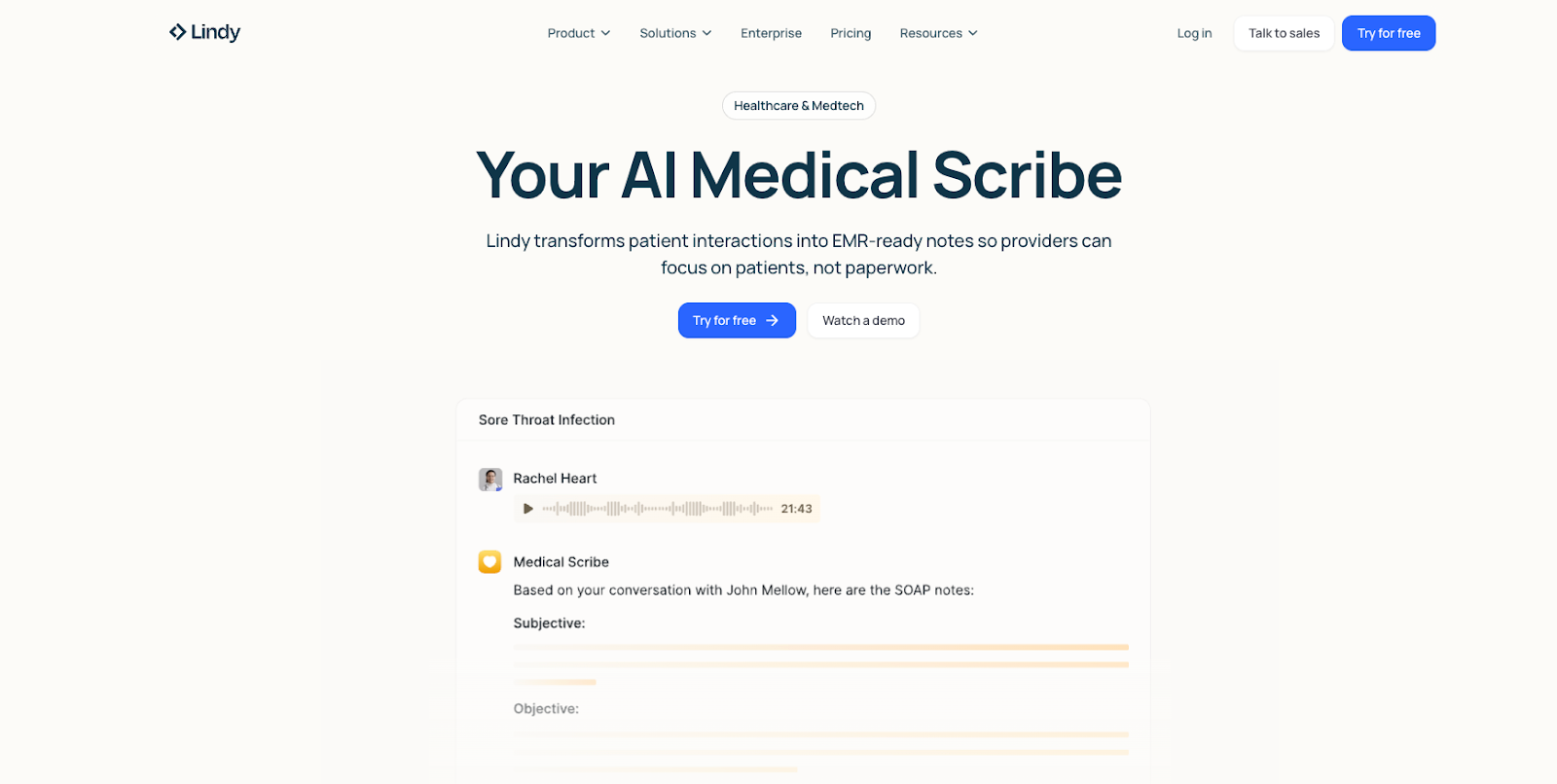
Text Lindy during or after a visit, and it turns your spoken notes into structured documentation and follow-up actions in one step. A single dictation can produce a SOAP note, draft messages, schedule follow-up appointments, and even notify your team.
That means less gets dumped on you after the visit. The charting follow-up, patient communication, and scheduling work can keep moving in parallel instead of piling up at the end of the day.
To get started quickly, you can pick from a range of pre-built templates. Whether it’s referral letters or therapy progress notes, you customize headings, tone, and medication listings, and Lindy remembers your preferences for next time.
Lindy connects with tools like Gmail, Slack, and Google Calendar across 4,000+ integrations. It works alongside your EHR by handling prep, communication, and follow-ups outside the chart, so you don’t have to enter the same information twice.
Pros
- AES-256 encryption with HIPAA and PIPEDA compliance.
- Significantly cheaper than hiring a full-time medical scribe.
- Turns dictation into follow-up tasks and documentation beyond transcription.
Cons
- Not a simple, standalone dictation tool.
Pricing: Free trial with Plus plans worth $49.99/month.
{{templates}}
2. Dragon Medical One: Best for enterprise-grade accuracy
What it does: Dragon Medical One provides cloud-based medical voice recognition optimized for clinical language.
Who it’s for: Hospitals and large practices that need high dictation accuracy and deep EHR integration.
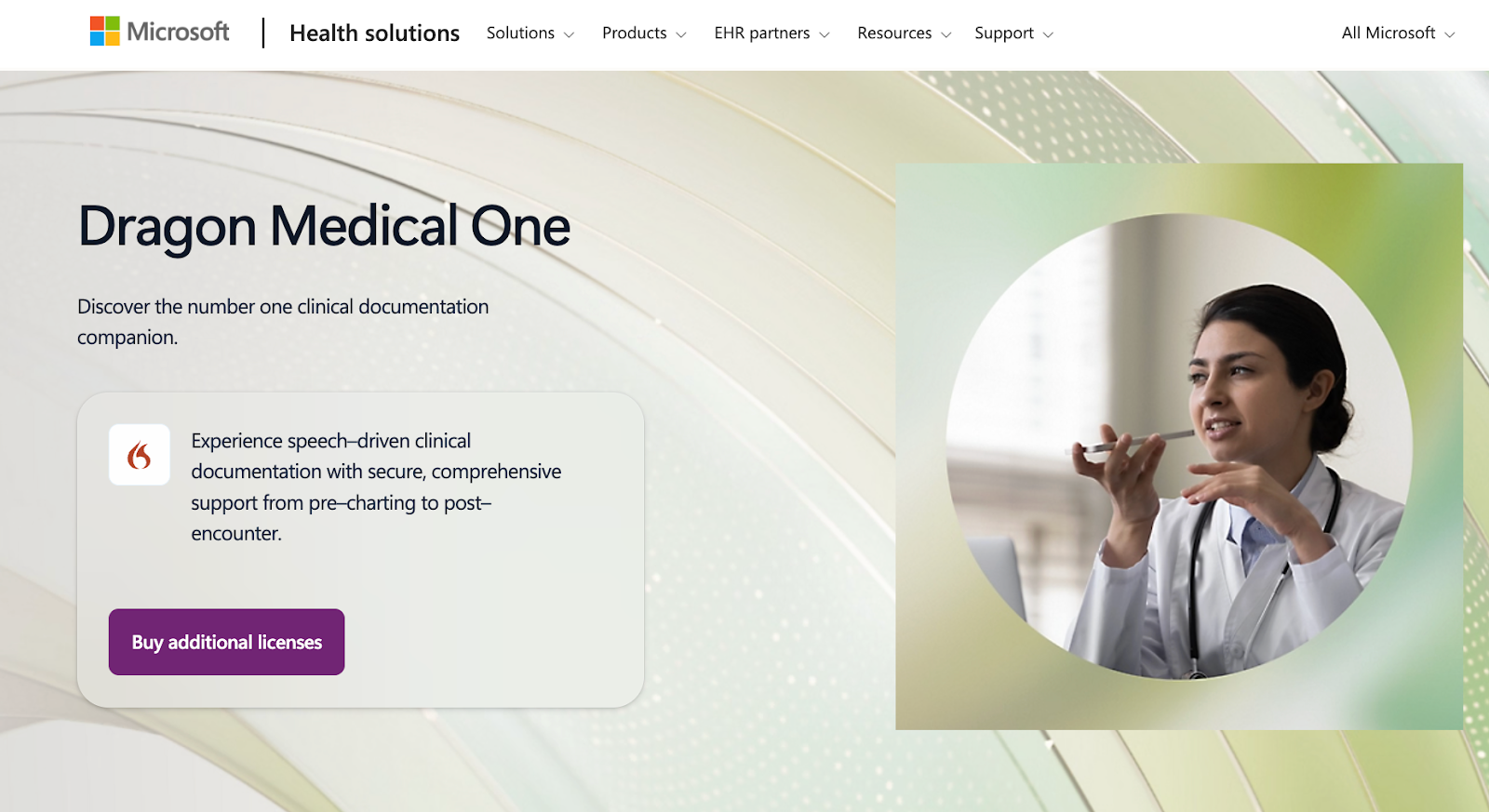
Dragon Medical One runs through a cloud connection on Mac, and there's no voice training required. You log in, open your EHR, and start speaking. The text appears almost instantly with high accuracy, even for complex medical terms.
Words like "hypertension," "rosuvastatin," and full ICD codes come through without mistakes. There's no noticeable lag between speaking and seeing text.
Using the PowerMic Mobile app, you can turn your iPhone into a secure wireless microphone. During my testing, I dictated from a different room while my Mac processed the input. This flexibility matters during hospital rounds or when moving between exam rooms. Even when I moved around a bit, the dictation quality stayed consistent.
Dragon integrates with over 200 EHR systems, including Epic and Cerner. You're not dictating into a separate app and copying text. You open your patient chart, click into a note field, and speak directly into that field. Voice commands work for navigation, too. Say "new paragraph," "scratch that," or "go to the diagnosis section," and it responds immediately.
Dragon Medical One is easier to use on a Mac than older desktop dictation tools because it supports browser-based access. For many clinicians, that means logging in through Safari and dictating into supported workflows without dealing with a full Windows virtualization setup.
Pros
- Voice profiles sync across devices through cloud storage.
- Natural language commands control EHR navigation hands-free.
- Medical vocabulary includes 90+ specialties and subspecialties pre-loaded.
Cons
- Focused on dictation only, not automation.
- Subscription costs significantly higher than consumer dictation tools.
Pricing: Custom pricing not listed publicly.
3. Suki AI: Best for ambient medical dictation
What it does: Suki listens during patient visits and generates clinical notes from natural conversation.
Who it’s for: Doctors who want hands-free documentation during appointments.
I tested Suki AI during a mock consultation, simulating a real patient encounter.
Mid-conversation, I said, “Let’s add hypertension to your problem list.” A few minutes later, I mentioned ordering a CBC and a detailed metabolic panel. Near the end of the visit, I added, “I’ll prescribe lisinopril 10 mg once daily.”
Suki correctly interpreted these as clinical actions, not just conversation. The problem list update, lab orders, and prescriptions all appeared as structured entries in the draft note, rather than raw text.
Suki separates actionable commands from normal dialogue and formats them correctly without interrupting the visit.
Once the appointment ended, Suki generated a complete SOAP note, summarizing the patient’s history, mirroring my clinical reasoning in the assessment, and clearly documenting every order and prescription I mentioned.
Pros
- SOC2 Type II certified and HIPAA-compliant.
- Learns clinician documentation preferences over time.
- Available on all major platforms, including Windows, Mac, Android, iOS, and web.
Cons
- Requires time to build trust in AI output.
- Draft notes may include irrelevant conversation.
Pricing: Not publicly listed. Contact Suki for pricing or request a demo.
4. DeepScribe: Best for conversational AI documentation
What it does: DeepScribe converts doctor-patient conversations into structured clinical notes.
Who it’s for: Clinicians who want faster documentation with minimal manual dictation.
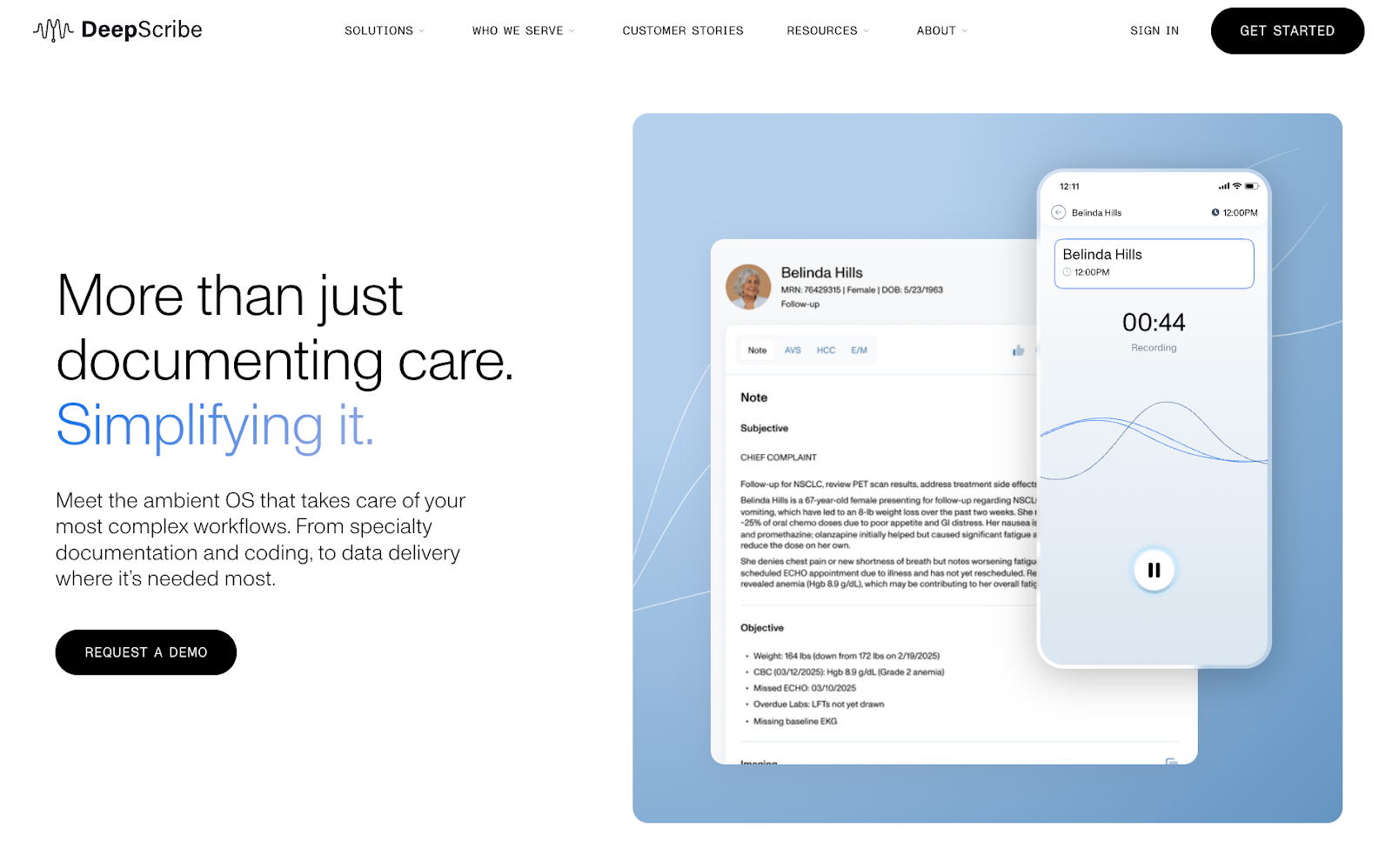
There are moments in a visit when you need to focus on the patient, not a screen. You’re examining symptoms, asking follow-up questions, or thinking through next steps. DeepScribe records the conversation during the visit and turns it into a draft clinical note afterward.
After the appointment, DeepScribe generates a structured note and places details where they belong. Symptoms, assessments, and plans are organized instead of appearing as a block of text. It also pulls in relevant chart history, such as prior labs, imaging, and medications, so the note reflects ongoing care.
Once reviewed, the draft can be sent directly to supported EHRs. This cuts down on manual entry after a visit. It also adapts the note format to the type of encounter. A follow-up visit, a new consult, and a routine check each get a different structure, which reduces cleanup later.
Together, this makes documentation feel closer to how you already work. You’re not forced to follow a fixed format that needs rewriting after every visit. But then the tradeoff is that it takes time to review early drafts and build confidence in the output.
Pros
- Lets teams adjust note structure and workflows through a customization studio.
- Helps with medical coding by identifying E/M, HCC, and ICD-10 details from visits.
- With DeepScribe Assist, clinical context shows up during the visit instead of after it.
- Supports specialty-specific documentation for fields like cardiology, oncology, and orthopedics.
Cons
- Less granular control than traditional dictation.
- Requires onboarding time to learn user preferences.
- Doesn’t work well in noisy environments or with multiple people talking at once.
Pricing: Not publicly listed. Contact DeepScribe for pricing or request a demo.
5. Apple Dictation (macOS): Best free option for Apple users
What it does: Apple Dictation provides built-in speech-to-text on macOS.
Who it’s for: Clinicians who need basic dictation without medical-specific features.
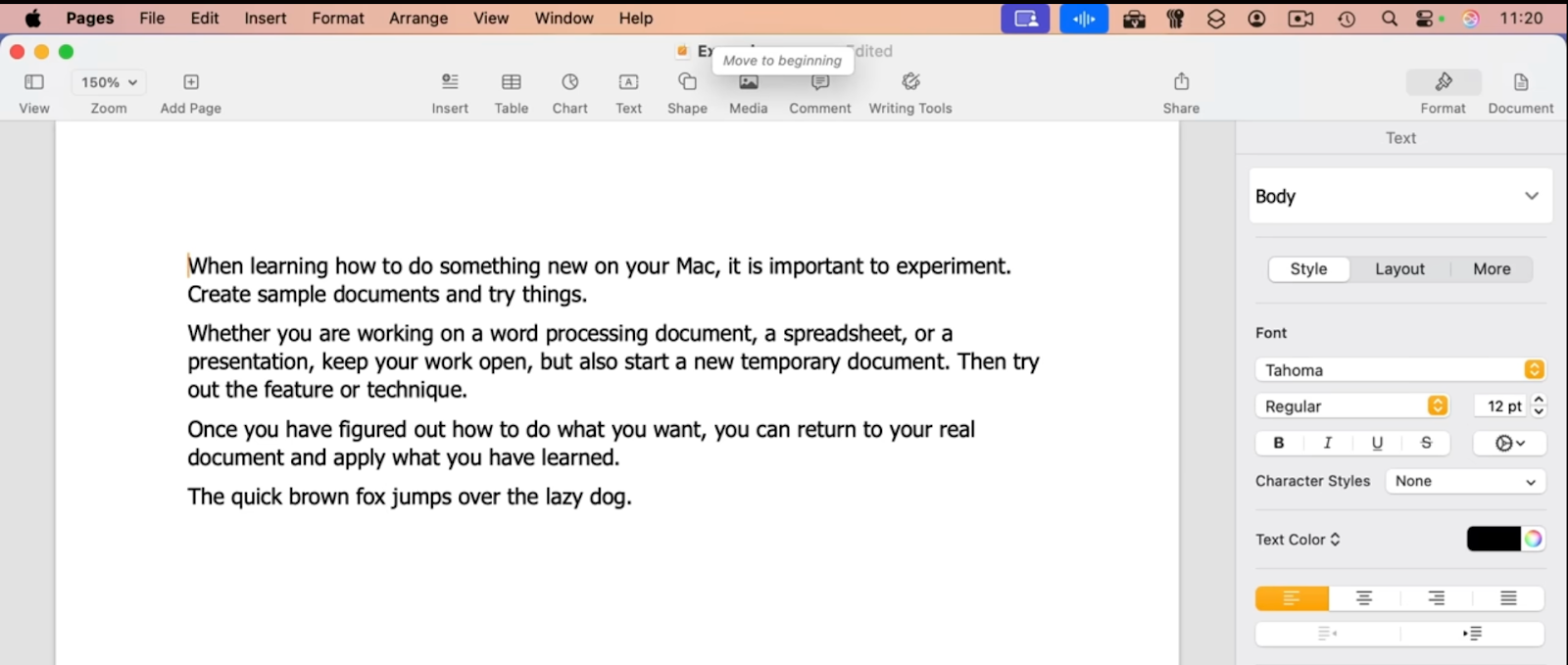
Apple Dictation is built into macOS and works for basic speech-to-text. For longer notes or continuous dictation, Voice Control is the better option because it stays active instead of timing out quickly. That makes it more practical for full clinical notes or reports than basic keyboard dictation.
Voice Control also lets you add custom words, which can help with drug names, patient details, and other terms you use often. Still, its medical vocabulary support is more limited than what you get with dedicated medical dictation software.
As a Mac user myself, I’ve seen how accurate Voice Control becomes once it’s trained on your vocabulary. For rare terms, Spelling Mode lets you dictate letter by letter, then return to normal dictation.
You can also navigate and format notes by voice. It’s possible to move the cursor, select text, delete words, or apply formatting like bold or quotes. Commands like “new paragraph” or “new line” help keep notes readable as you go.
Voice Control takes time to learn, and it stays fairly basic. It works well for basic dictation. It isn’t built for advanced or specialty workflows, where tools like Lindy or Dragon Medical One make more sense.
Pros
- Custom vocabulary support for medical terms and names.
- Free and built into macOS, so Mac users don’t need to invest in another tool.
- Voice-based correction lets you fix errors without switching to the keyboard.
- Can process some voice input locally through macOS Voice Control, which may help privacy-conscious users handle sensitive information.
Cons
- No compliance or audit features.
- No EHR or workflow integrations.
- Lower accuracy for complex medical terms.
Pricing: Included for free with macOS.
How I tested these medical dictation tools
I tested each tool on a MacBook Pro using mock clinical documentation. The goal was simple. I wanted to see how these tools perform during everyday medical work, not in demos or ideal setups.
Instead of scripted tests, I focused on real use cases. This included live dictation, longer notes, and follow-up documentation. Each tool was used the way a clinician would use it during a normal, busy day.
What I looked for
- Accuracy: It matters how each tool handles medical terms. This includes drug names, diagnoses, and specialty language. I even tested different note types to see where errors showed up and how often they had to be corrected.
- Workflow fit: I assessed dictation within real clinical routines. I reviewed notes based on how they moved into EHRs or other tools. Any extra steps after dictation were noted.
- Custom features: It’s important to know whether features actually help in daily work. So I tested features. Mainly, Voice commands, templates, SOAP note automation, ICD-10 suggestions, and AI summaries.
- Security and compliance: Each tool must meet HIPAA requirements. Then, I checked data storage, encryption, and user control. I removed Tools that lacked transparency or forced cloud storage.
- Scalability: Both solo clinicians and larger practices benefit from dictation tools. Some tools work well for one person but become harder to manage at scale. I paid attention to setup effort and day-to-day usability.
Testing process
I used sample clinical notes, long-form dictation, and real-world scenarios. I dictated full SOAP notes along with shorter updates. I also measured how long it took to go from speaking to a usable final note.
For tools focused on automation, such as Lindy, I set up test automations to see whether they actually saved time in real-world use. For ambient tools such as Suki and DeepScribe, I simulated patient conversations. This helped me see how well clinical details were captured and organized. This process helped me separate tools.
Which medical dictation software for Mac should you choose?
Choose Lindy if you:
- Want dictation plus automation
- Need notes turned into actions, like scheduling or reminders
- Want flexibility without hiring a developer
Choose Dragon Medical One if you:
- Have IT support for enterprise software
- Need top dictation accuracy with medical terms
- Work in a large clinical environment with EHR integration
Choose ambient tools (Suki or DeepScribe) if you:
- Want to minimize manual dictation
- Will review AI-generated notes after visits
- Prefer hands-free documentation during visits
Choose Apple Dictation if you:
- Need basic speech-to-text without medical-grade accuracy
- Want a free option to test voice documentation
- Don't need HIPAA compliance or EHR integration
My final verdict
If you want dictation to do more than create text, Lindy is the strongest overall option. It turns your spoken notes into structured outputs like SOAP notes, follow-up tasks, and updates across your tools. That means less manual charting, fewer missed follow-ups, and less cleanup after each visit.
If accuracy inside the EHR is your top priority, Dragon Medical One remains the gold standard, especially in large or hospital-based settings with IT support.
For clinicians who prefer hands-free documentation during visits, Suki AI and DeepScribe are good fits. Both focus on capturing conversations and drafting notes, with the understanding that review is still part of the process.
If you’re just getting started, Apple Dictation is a reasonable free option. It works for basic notes, but most clinicians outgrow it once documentation needs become more complex.
{{cta}}
Get started with the best medical dictation software
Lindy is your AI assistant for medical documentation. Text your notes, and Lindy turns them into structured documentation, follow-up tasks, and patient communication without extra steps.
Here’s how Lindy helps in clinical workflows:
- Turn dictation into structured notes: Convert spoken input into clean formats like SOAP notes without manual rework.
- Reduce repeat documentation: Use the same dictation to create notes, draft patient follow-ups, and move related work forward across your tools.
- Support ongoing follow-up work: Keep documentation and admin work moving after the visit instead of letting tasks pile up.
FAQs
1. What is medical dictation software?
Medical dictation software converts spoken words into written text for clinical documentation. It lets clinicians create notes, patient charts, and reports using their voice instead of typing. This can save time and reduce manual data entry during or after visits.
2. What is the best medical dictation software for Mac?
Dragon Medical One is the best medical dictation software for Mac if your top priority is accuracy and EHR integration. Lindy is the stronger choice if you want dictation plus follow-up work, structured notes, and automation across your tools. Apple Dictation works as a free, basic starting point for lighter documentation needs.
3. Is Dragon Medical available for Mac?
Yes, Dragon Medical One works on Mac through its cloud-based platform. You log in using a web browser, and your voice profile syncs across devices. This lets you dictate on a Mac, PC, or hospital workstation without retraining your voice.
4. Can dictation software replace medical transcriptionists?
Dictation software can reduce the need for transcriptionists for routine notes. It automates basic transcription and draft note creation. However, it does not replace human review for complex cases. Clinicians still review and approve final documentation.
5. Is free dictation software good enough for doctors?
Free dictation software like Apple Dictation works for basic documentation. It is useful for testing voice workflows. However, it lacks medical-grade accuracy, compliance features, and deep EHR integration. Many clinicians eventually move to specialized tools as needs grow.








%20(1).png)
%20(1).png)
.png)
%2520(1).png)

%2520(1).png)
