The 10 Best AI Agent Builders in 2026: Ranked & Reviewed
Lindy reviewed 25+ AI agent builders including n8n, Gumloop, and StackAI, rating them on ease of use, automation depth, and integrations.


The first AI agent builder I tried sold me in five minutes. The demo handled lead qualification, wrote email sequences, and updated a CRM. Then my workflow broke on step three, invented a contact, and turned “one-click setup” into two hours of error messages.
That gap between the demo and the build became my test for every tool that followed.
I tested more than 25 builders across no-code, low-code, and developer setups. Ten held up well enough to make the list.
These are the AI agent builders I’d recommend, along with the trade-offs to know before choosing one.
10 best AI agent builders: TL;DR
- n8n: Best for self-hosted AI agent building
- Gumloop: Best for no-code visual agent building
- StackAI: Best for working with internal data and APIs
- Relay.app: Best for conversational automation
- Zapier: Best for app-connected AI automation
- Cofounder: Best for lightweight startup automation
- Vellum AI: Best for enterprise-grade agent development
- AutoGen: Best for custom multi-agent systems
- Lovable: Best for full-stack AI app building
- Bolt: Best for browser-based AI app development
What is an AI agent builder?
An AI agent builder helps you create AI systems that can take a goal, think through the steps, and complete tasks on their own. Instead of responding to prompts like a chatbot, it triggers the AI to plan, act, and deliver results more independently.
Now, think of it like this.
You know how you use ChatGPT or Claude right now? You go in, type something, it gives you an answer… and then you have to keep nudging it for the next step. It’s helpful, but it’s still you doing the driving. If you prefer traditional conversational tools over full automation, exploring the best ai chatbots for businesses is a great starting point.
An AI agent builder is what you use when you’re tired of driving.
Instead of telling the AI every single step, you just tell it what you actually want as a final result, like “make a LinkedIn carousel from this,” and it goes off and handles the middle part on its own. It reads your content, figures out what matters, turns it into slides, adds hooks… basically does the annoying, repetitive thinking for you.
The easiest way to think about it is this:
Right now, you’re working with AI, but with an AI agent, the AI starts working for you. You’re not managing tasks anymore because you’re now just setting goals and checking the final result.
It’s not perfect, by the way. Sometimes it’ll mess up or take a weird direction, so you still keep an eye on it. But once it clicks, you stop thinking “how do I do this?” and start thinking “how do I get this done automatically?”
That’s exactly when the shift happens.
Now, I tested over a dozen of these tools while putting this list together, and they all fall into one of three broad categories:
- No-code platforms like Gumloop and Relay let you describe what you want in plain English. These tools handle the rest. You don't touch a single configuration screen.
- Low-code builders ai app builder offers a broader solution.like StackAI and Vellum give you a visual canvas to connect steps and logic, with a code escape hatch when you need it. For teams looking to generate complete user interfaces alongside backends, a dedicated
- Developer frameworks like AutoGen and Vellum hand you the full architecture. You define agent roles, message flows, and infrastructure from scratch through code. If you need deep code customization, comparing the best ai agent frameworks software can clarify your architecture options. To find the right code-first tools for your stack, explore our guide to the best ai agent frameworks.
Which category you pick depends on your team. A three-person sales team doesn't need a Python SDK. An engineering team shipping an AI product doesn't need a drag-and-drop canvas. To evaluate options tailored to different team sizes, explore our overview of ai agent companies software. For example, a sales team focused on capturing prospects conversationally might benefit from deploying an ai lead generation chatbot.
The goal is the same across all of them: to stop doing repetitive manual work and let an AI handle the parts that don't need your brain.
How does an AI agent builder work?
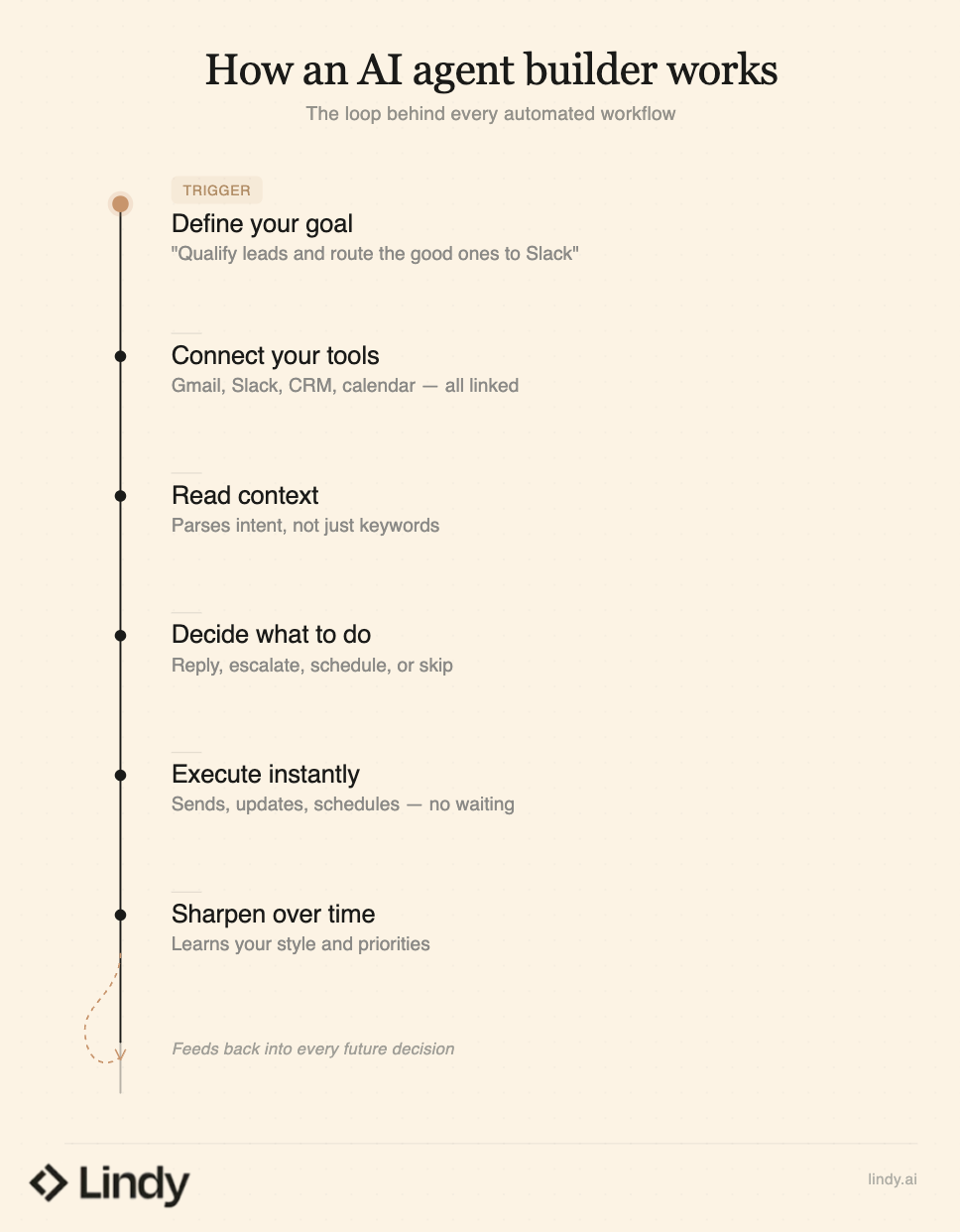
Most AI agent builders follow the same basic loop, even if their interfaces look completely different. You start by giving the agent a goal. That goal could be "qualify every inbound lead and route the good ones to Slack" or "prep me before every meeting with notes from past conversations."
The agent takes that goal and breaks it into steps:
- Your tools get connected first: The agent links to apps you already use, like Gmail, Slack, your CRM, or your calendar. That's how it reads data and takes action.
- Context comes next: When a new email or event arrives, the agent reads it and determines what's relevant. Not keyword matching. Actual intent.
- Then a decision gets made: Based on your instructions and the situation, the agent decides what to do. Reply, escalate, schedule, update a record, or skip entirely.
- Action follows immediately: The email gets sent, the calendar invite lands, the CRM field updates, or a message hits Slack. No waiting on you.
- And the whole thing sharpens over time: The more you use it, the better it gets at matching how you write, what you prioritize, and which decisions you'd override.
The biggest difference between tools is how much of this loop you control.
With something like n8n, you build it visually on a canvas, and the whole loop runs on your own infrastructure. With AutoGen, you're writing the logic for each step yourself.
One thing I noticed across every tool I tested is that the ones that worked best were the ones that didn't ask me to think like an engineer. The setup that felt like a conversation always outperformed the setup that felt like programming.
1. n8n: Best for self-hosted AI agent building with full control
Why I picked it: n8n is on this list because it gives you something no other tool here offers, and that’s the ability to build, run, and host AI agents entirely on your own infrastructure. The visual canvas handles most of the work, but when you need to go deeper, you can drop into code at any point. That’s why I always recommend n8n to technical teams that care about data ownership, cost control, and flexibility.
Ratings:
- Ease of use: 3.9/5
- Automation depth: 4.7/5
- Integrations: 4.5/5
- Overall: 4.4/5
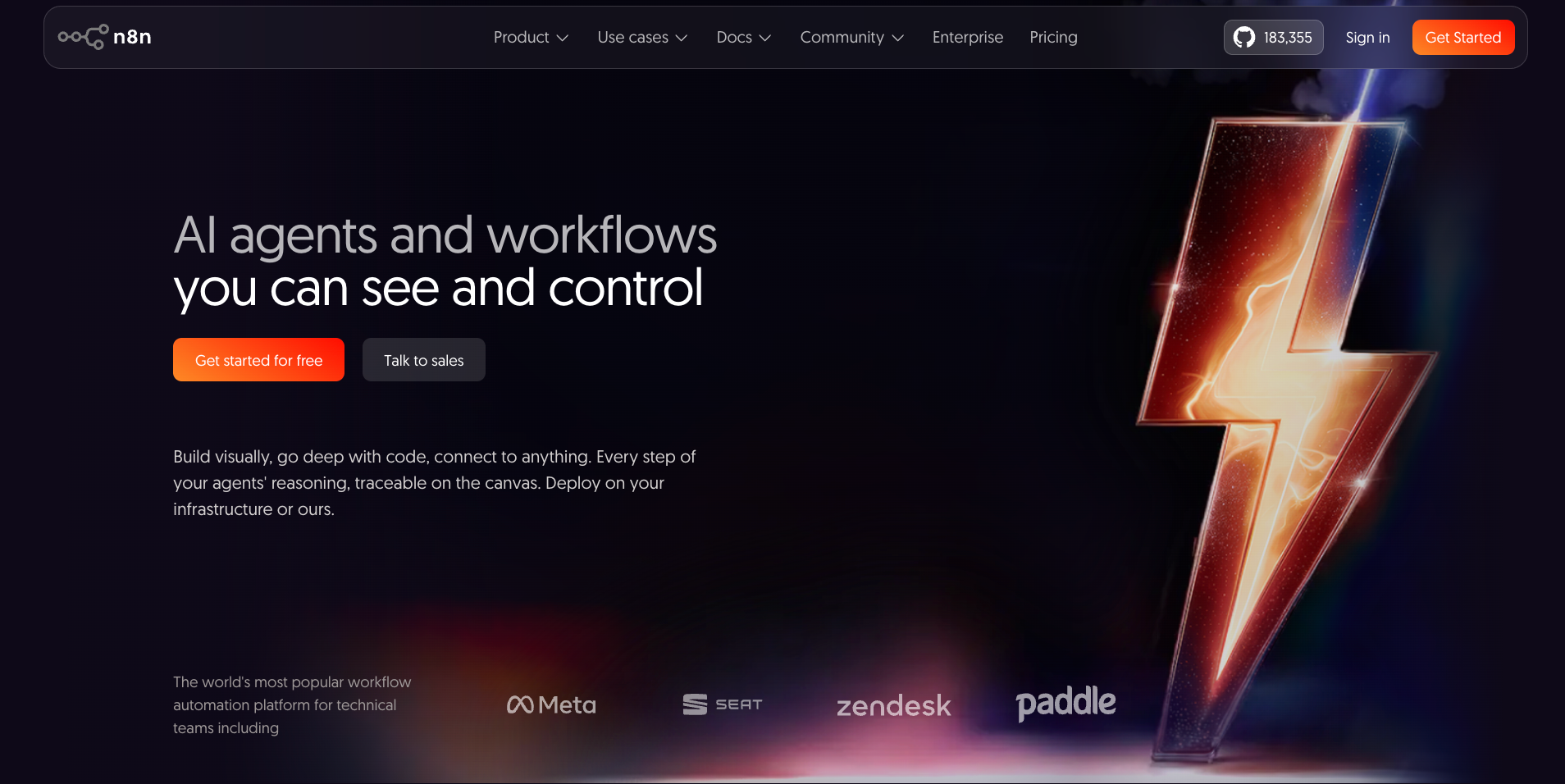
n8n sits in a category of its own on this list. It started as an open-source alternative to Zapier and has since grown into a full AI agent builder with 70+ AI-specific nodes, deep LangChain integration, and support for multi-agent orchestration directly inside the visual editor.
The setup takes more effort than something like Relay or Gumloop. You are connecting to model providers, managing credentials, and making hosting decisions before your first agent runs. But that tradeoff is the point. You get full control over your data, your models, and your costs.
I built a lead-qualification agent and an email-triage flow during testing. Both took longer to set up than on Gumloop, but the execution-based pricing made them significantly cheaper to run at scale.
A 20-node workflow counts as a single execution, so complex agents do not blow up your bill the way task-based pricing does on Zapier.
Picture an agent running through a 15-step workflow, pulling data, drafting emails, and updating records. Before it sends that email or deletes anything from your CRM, it pauses for your sign-off. That's the human-in-the-loop feature: n8n keeps you in control while it handles the rest.
Pros
- Built-in chatbot widget for customer-facing AI agents
- 190,000+ GitHub stars and active community support
- 500+ integrations with native AI nodes for OpenAI, Anthropic, and more
- Execution-based pricing keeps costs predictable on complex workflows
Cons
- Steeper learning curve than no-code tools like Gumloop or Relay
- Self-hosting adds operational overhead for server maintenance and updates
Pricing
n8n offers a free self-hosted Community Edition with no limits on workflows or integrations. Cloud plans start at $24/month (Starter) with 2,500 executions, $60/month (Pro) with 10,000 executions, and $960/month (Business) with 40,000 executions and self-hosting.
2. Gumloop: Best for no-code visual agent building
Why I picked it: Most no-code tools treat AI as an add-on, but Gumloop puts it at the center. I prefer it because the AI makes decisions inside your workflow and not just passes data between steps.
The visual canvas makes it easy to build a lead qualifier or support triage flow and still understand what you built a week later. For solo operators, marketers, and non-technical teams who want AI thinking (not just the moving), Gumloop delivers what most no-code tools promise: AI making the decisions, not just moving the data.
Ratings:
- Ease of use: 4.3/5
- Automation depth: 4.2/5
- Integrations: 4.0/5
- Overall: 4.1/5
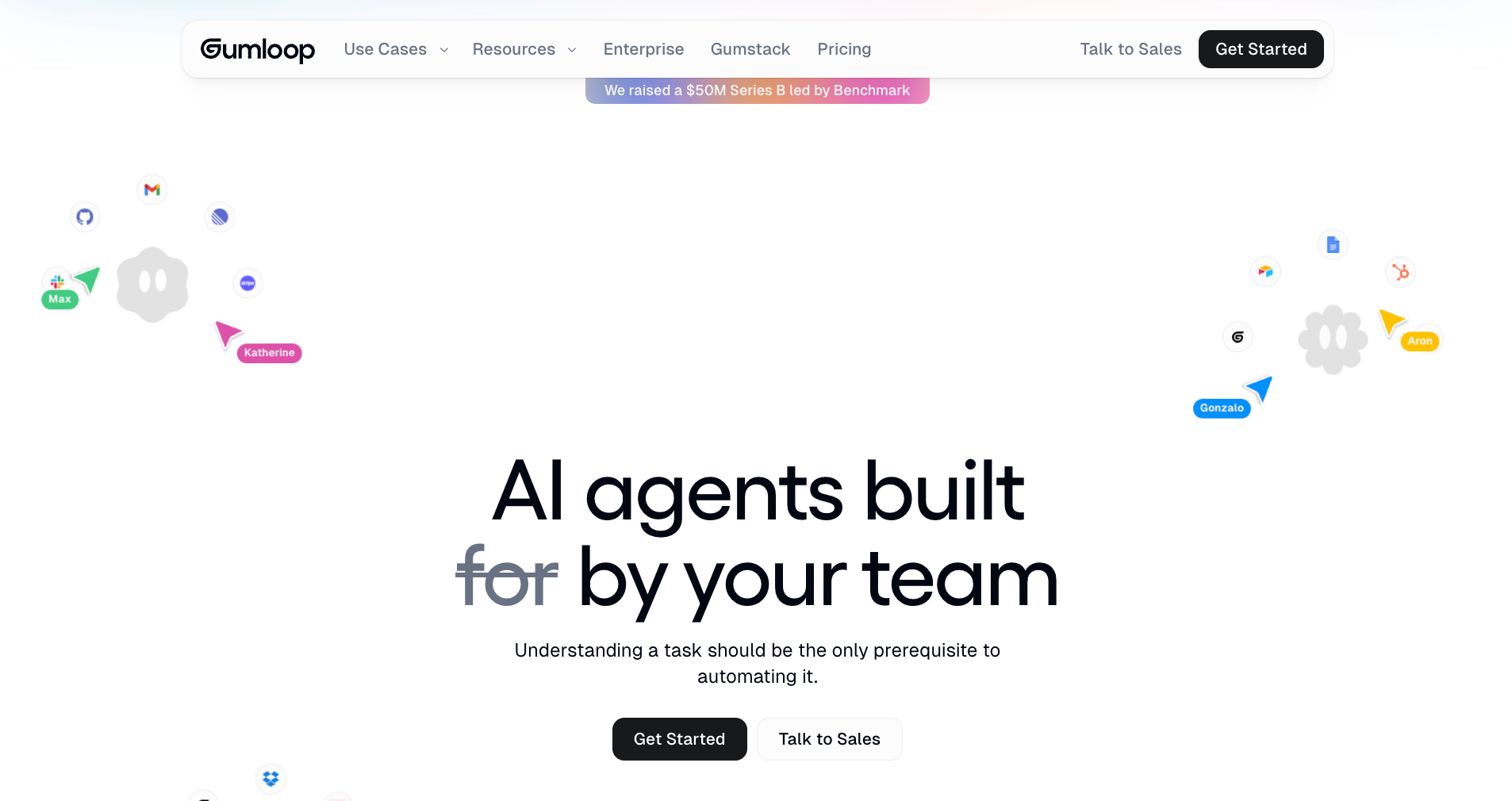
Most automation tools collapse the moment AI starts making decisions instead of just passing data. Logic spreads, steps multiply, and what should be a simple fix turns into a debugging session with no clear end. And this is exactly where Gumloop comes in.
Instead of wiring AI into a workflow, Gumloop puts it at the center. Instead of using a complicated workflow that has tons of steps, Gumloop presents the building blocks as higher-level nodes for extraction, classification, and transformation. So, as soon as the AI output shifts, it stays contained and nothing breaks downstream.
But again, I liked the canvas better than any feature. It lets you build a lead qualification flow, a support triage agent, or a CRM updater and understands what you built when you come back to it a week later. The setup is fast. The thinking takes longer than the build, which is the right way around.
Gumloop also lives where your team already works.
Tag @Gumloop in Slack, ask it a question, and it pulls from your connected data to answer. No tab switching, no re-explaining context. Companies like Gusto use it to run GTM agents across their sales and support teams without adding engineering headcount.
Pros
- Gumloop offers role-based access control
- 100+ hosted integrations with no setup required
- Gumloop University with guided training and live cohorts
- Prebuilt agents for CRM, support, and meeting workflows
- Webhooks, REST APIs, and SDKs enable triggers without code rewrites
Cons
- Gives up some low-level control compared to n8n
- Reliability and governance features are still maturing for production-scale rollouts
Pricing
Gumloop offers a free plan with 5k credits per month, 1 seat, 1 active trigger, and unlimited agents and flows. The Pro plan is $37/month, and Enterprise is custom pricing with VPC and AI model access control.
3. StackAI: Best for low-code agents on internal data and APIs
Why I picked it: StackAI earned its spot because it takes internal data seriously. Most tools work fine on generic prompts. StackAI connects to your actual documents, databases, and APIs, then builds agents that pull from real company knowledge instead of guessing.
Mid-market and enterprise teams in regulated industries will find what they need here. SOC 2, HIPAA, and GDPR compliance are available on the Enterprise tier, along with the access controls that production deployments require.
Ratings:
- Ease of use: 3.8/5
- Automation depth: 4.5/5
- Integrations: 3.8/5
- Overall: 4.1/5
I went into StackAI thinking it would feel like a typical developer-heavy tool with a no-code layer on top. That wasn’t really the case. The visual builder is easy to get into, and going from an idea to a working AI workflow took a few hours, not days.
Using the RAG setup, the agent starts pulling context from your actual company data rather than hallucinating around it. That makes it more useful for teams working with internal knowledge.
StackAI leans heavily toward production use cases.
It’s set up for teams that want AI workflows to run reliably, with built-in data loaders, knowledge bases, and APIs.
StackAI sits somewhere between a developer tool and a no-code builder, so technical teams can build and deploy workflows without needing a full engineering setup.
Pros
- Export code functionality to extend workflows outside the platform
- SOC 2, HIPAA, and GDPR compliance included in the enterprise tier
- API and webhook connectivity for agents interacting with internal systems
- RAG pipeline support with advanced knowledge bases and data loaders
- On-premise and VPC (Virtual Private Cloud) deployment options for strict data requirements
Cons
- Debugging gets opaque as workflows grow more complex
- Most compliance security features are locked to the Enterprise tier
Pricing
Stack AI offers a free plan with 500 runs, 2 projects, and 1 seat, while Enterprise uses custom pricing for teams that need stronger security, dedicated infrastructure, and compliance controls.
4. Relay: Best for turning tasks into conversational automations
Why I picked it: Relay made the list because it removes the biggest friction point in automation, which is the setup. You describe what you need in one sentence, and Relay builds the automation beside you. You’re not tangled with menus or trigger logic.
For small business owners and early-stage teams who don't want to learn a new platform before getting something useful out of it, Relay turns tasks into working automations faster than anything else I tested.
Ratings:
- Ease of use: 4.5/5
- Automation depth: 3.8/5
- Integrations: 3.5/5
- Overall: 3.8/5
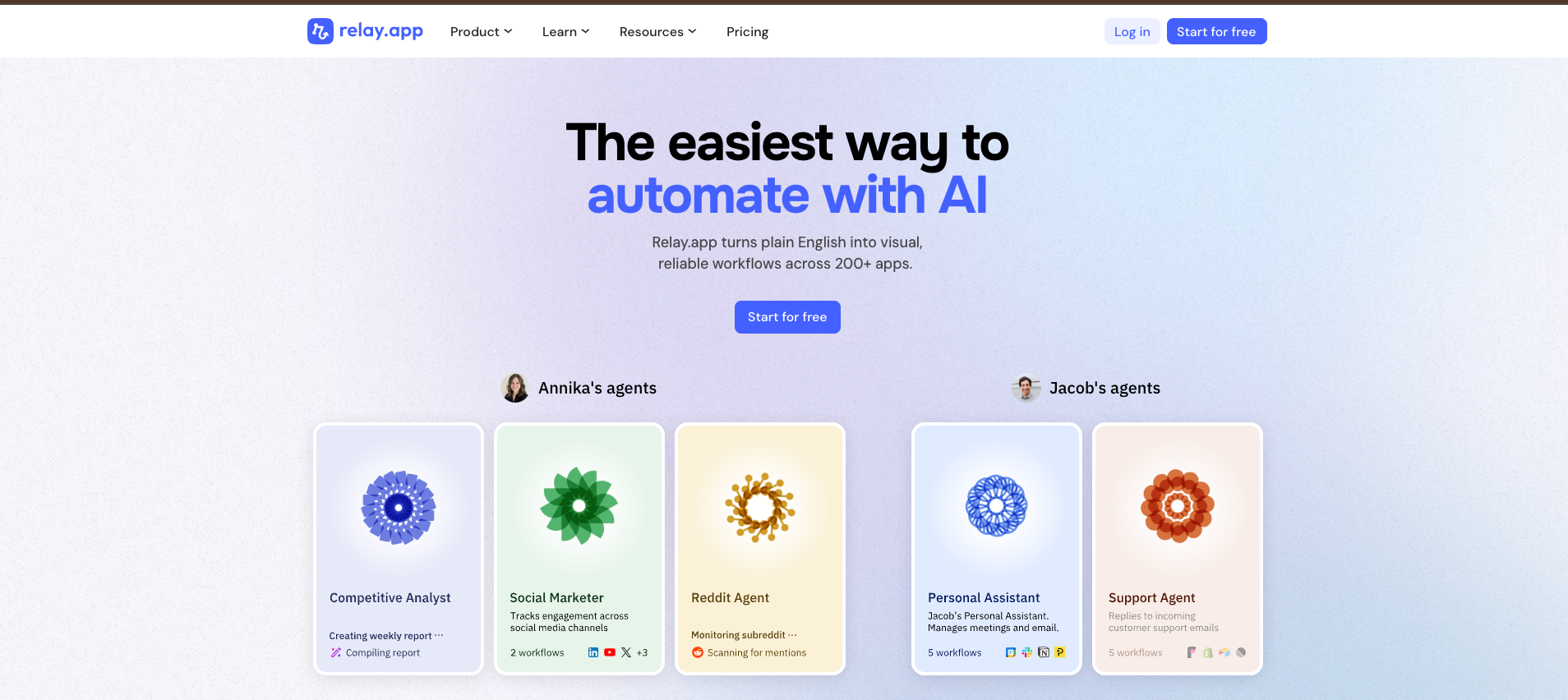
Type one sentence describing what you need, and Relay starts building the automation beside you. Setting up a lead notification for the team, a follow-up sequence, or a meeting recap workflow takes minutes. When I tested it, I had a lead notification workflow running in under three minutes, which was faster than any other tool in this category.
When you describe a skill in plain English, Relay turns it into a visual workflow you can inspect step by step.
Every action is explicit, every run leaves a full task history, and a human-in-the-loop toggle lets you pause before anything high-stakes goes out without a second look.
Workflows can kick off from an app event, a schedule, a form submission, a webhook, a manual trigger, a mailhook, a table update, or a batch run. Most teams only need one or two of these, but having the full range means you rarely hit a wall when a use case gets specific.
And there is room for testing and adjustments in line, which means you are not committing to a finished flow before you know if it actually works.
Pros
- Multi-model support with GPT, Claude, and Gemini inside workflows
- Agent workshops and tailored training are included in the enterprise tier
- Shared workflows and connections enable collaborative team automation
- Natural language workflow builder creates automations through AI conversations
- Prebuilt templates and trigger-based workflows start from events or schedules
Cons
- Credit usage tracking needs more visibility for active users
- The integration library is narrower than its more established competitors
Pricing
Relay.app offers a free plan with basic workflows and limited AI credits. The paid plans start at around $38/month for individuals and $138/month for teams. Enterprise comes with a custom pricing tier for advanced support.
5. Zapier: Best for app-connected AI automation
Why I picked it: If your team already runs across a dozen apps, Zapier is the practical pick. I chose it because no other tool matches its 9,000+ integrations, and the AI tools on top reason through what to do next. It reads a support email, checks a knowledge base, drafts a response, or escalates to Slack with a CRM tag.
Non-technical teams running their daily work across Gmail, HubSpot, and Sheets will find the connection layer hard to beat.
Ratings:
- Ease of use: 4.2/5
- Automation depth: 3.9/5
- Integrations: 5.0/5
- Overall: 4.3/5
Where Gumloop rebuilds workflow logic from the AI up, Zapier starts with its app connections and layers intelligence on top. I built a lead qualifier during testing and had it routing qualified contacts to Slack and HubSpot within one session.
Zapier’s AI agents run autonomously in the background. Feed it a support email, and it reads the message, checks a knowledge base, drafts a response if it can answer, and escalates to Slack with a tagged CRM entry if it can't. In simple words, it reasons what to do and acts on it.
Building a lead qualifier is one example of what Zapier's chatbot can do. It asks questions through a natural conversation, scores the responses, and routes the right ones to your CRM and sales channel in Slack. The ones that don't qualify never reach a human.
There's a visual canvas that lets you map out an entire system as a diagram, then convert it into live automations with one click.
And there's an AI assistant that builds the whole workflow from a plain English description, so you're not starting from scratch every time.
Pros
- 9000+ integrations across nearly every major business tool
- SAML SSO, shared folders, and premier support on Team and Enterprise tiers
- Multi-step Zaps with conditional logic, filters, and branching across connected apps
- Zapier Copilot for building and troubleshooting automations through natural language
- AI fields for adding text generation, classification, and data parsing directly inside Zaps
Cons
- Pricing scales quickly as task volume grows
- Complex AI-driven workflows can get hard to trace when something breaks
Pricing
Zapier offers a free plan with basic automation and a limited number of tasks. The paid plans start around $29.99/month and scale based on task usage.
{{templates}}
6. Cofounder: Best for startups and small teams
Why I picked it: Cofounder is here because it's the lightest way to run an AI agent in your daily tools. I set up an email triage and CRM sync in about 20 minutes, which matched the "fast start" promise on the tin.
The integration list is still narrow, and most of the action runs through Gmail. But a two or three-person team that wants to start fast and pay for what they use, not commit to a platform they're still figuring out, won't find a faster on-ramp.
Ratings:
- Ease of use: 4.4/5
- Automation depth: 3.5/5
- Integrations: 2.8/5
- Overall: 3.4/5

Cofounder connects to your existing tools and writes the automations itself. You describe what you want in plain English, and it figures out how to make it happen across the software you already use.
Most teams stall on AI agents because the setup demands someone technical in the room. Cofounder sidesteps that entirely. You connect your tools, describe what you want, and the first automation runs without opening a single doc.
The Knowledgebase Agent connects your email, CRM, calendar, and Notion and keeps everything synced around the clock. Ask it what's going on in engineering, and it pulls a snapshot from Linear and Slack without you touching either.
Cofounder handles the integrations almost every product needs. For payments, Stripe monitors failed charges, refunds, and subscription changes automatically. For transactional email, Postmark makes sure welcome messages, resets, and receipts land in inboxes instead of spam folders. Both work without manual configuration.
Pros
- Unified web search, scraping, and monitoring in one workflow
- Smooth onboarding flow enables quick setup without prior experience
- Multi-layer memory system combining working, core, and long-term context
- Low barrier to get a first agent running and doing something useful
Cons
- Still a fairly new platform with a limited integration footprint
- Full workflow value requires inbox access, raising privacy concerns
Pricing
Cofounder starts at $20/month with everything in the free plan, using a usage-based model that scales with your automation needs.
7. Vellum AI: Best for enterprise-grade agent development
Why I picked it: While every other tool here helps you automate work, Vellum is built around shipping AI products. I picked it because the development environment takes you from first prompt to production deployment without stitching together five different tools.
The low-code builder sits next to a full code interface, so both technical and non-technical team members can work inside the same project. Product and engineering teams building AI-powered features will find the infrastructure holds up at scale.
Ratings:
- Ease of use: 3.5/5
- Automation depth: 4.8/5
- Integrations: 3.5/5
- Overall: 4.2/5

Most tools on this list help you automate work. Vellum is for teams that are building AI products and need the infrastructure around that development to hold up.
I came at it from a product development angle rather than an operations one, and that framing made everything click faster.
The low-code workflow builder is good, and the 1:1 code interface next to it means technical team members are not blocked by a visual-only environment. You can move fluidly between both depending on what the moment requires.
To get a feel of it, I started with a simple workflow, expecting to rely on extra tools for deployment and monitoring. That didn’t come up, and everything was already built in, which made moving from idea to usable much faster.
Vellum leans into that end-to-end experience. Instead of focusing on connecting more data sources, it focuses on getting pipelines to run reliably without extra setup. Evaluations also live in the same environment, so you’re not switching tools to check performance.
Pros
- Both technical and non-technical team members can work inside it
- Prepaid pricing model passing through LLM costs with zero markup
- Prompt versioning for safe workflow iteration in production workflows
- Built-in tracing and observability to monitor AI pipeline performance post-deployment
- One-click deployment with integrated document storage and data management tools
Cons
- Interface can feel buggy at times on more complex workflows
- Eval suite is not as deep as dedicated standalone evaluation tools
Pricing
Vellum uses a prepaid, usage-based pricing model where you fund your account and pay only for actual AI usage, with no added markup on model costs. Credits are deducted as workflows run, and usage scales naturally.
8. AutoGen: Best for developers building custom multi-agent systems
Why I picked it: AutoGen is on this list because it's an open-source framework from Microsoft where you define every agent role, message flow, and tool integration through the Python SDK. Agents can debate each other, delegate subtasks, and collaborate on complex problems. There's no visual shortcut and no managed hosting.
Developer teams comfortable owning their own infrastructure get precise control over how their agents think, communicate, and work together. Nobody else on this list offers that level of depth.
Ratings:
- Ease of use: 2.5/5
- Automation depth: 5.0/5
- Integrations: 3.0/5
- Overall: 3.8/5
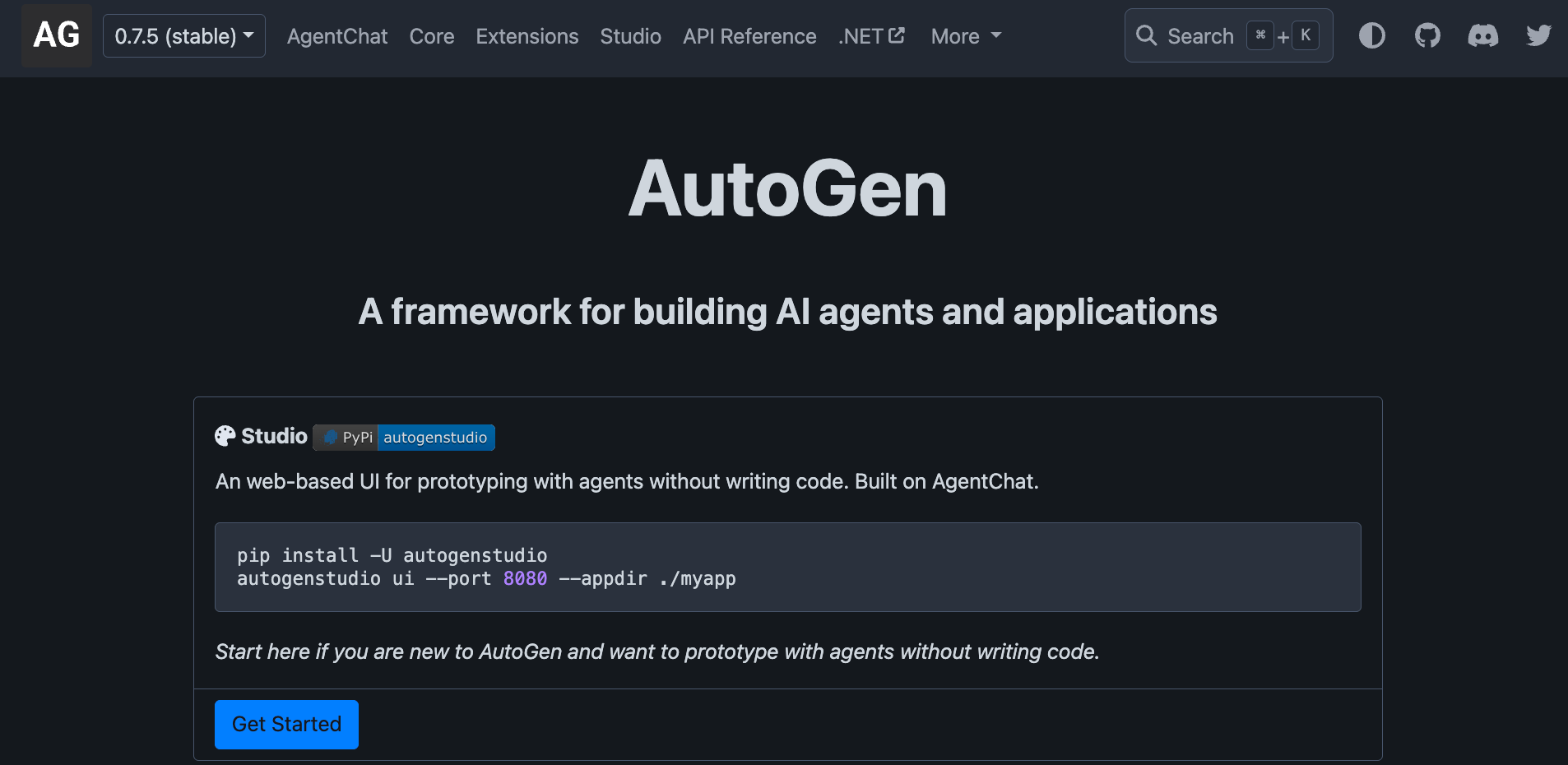
AutoGen is a framework you pull from GitHub and build on top of, which means the experience starts well before you write a single line of agent logic. I spent the better part of an afternoon just on environment setup before a single agent ran, which is par for the course with this kind of framework.
For developers used to that workflow, none of this is a complaint, but it’s the nature of the tool.
With multi-agent collaboration, agents can debate each other, delegate subtasks, and consult one another to arrive at a better answer than any single agent would produce alone.
Unlike tools such as Relay, where the goal is simplicity and fast setup, AutoGen puts the entire architecture in your hands. You define agent roles, message flows, tool integrations, and event handling through the Python SDK.
Pros
- Supports OpenAI, Azure OpenAI, and other models via plugins
- Drag-and-drop canvas for visualizing agents and live debugging
- Python SDK enabling deep customization of agents, events, and integrations
- Docker and gRPC runtime support for scalable distributed agent deployments
Cons
- Not accessible without programming knowledge
- Now in maintenance mode as Microsoft consolidates into a new framework
Pricing
AutoGen is free and open-source under the MIT license. You pay only for the model API usage from whichever provider you connect, such as OpenAI or Anthropic, plus any infrastructure costs for hosting and running agents locally or on cloud services.
9. Lovable: Best for developers building full-stack AI apps
Why I picked it: Lovable closes the gap between a working prototype and something you'd really ship. I picked it because I had a working web app with a payment gateway, a connected database, and a live deployment in one sitting. The code it produces is clean enough to build on top of.
Technical founders and vibe coders who need to go from idea to deployed product fast will skip weeks of setup here. The full stack is handled, so you focus on the product.
Ratings:
- Ease of use: 4.0/5
- Automation depth: 3.5/5
- Integrations: 3.8/5
- Overall: 3.7/5
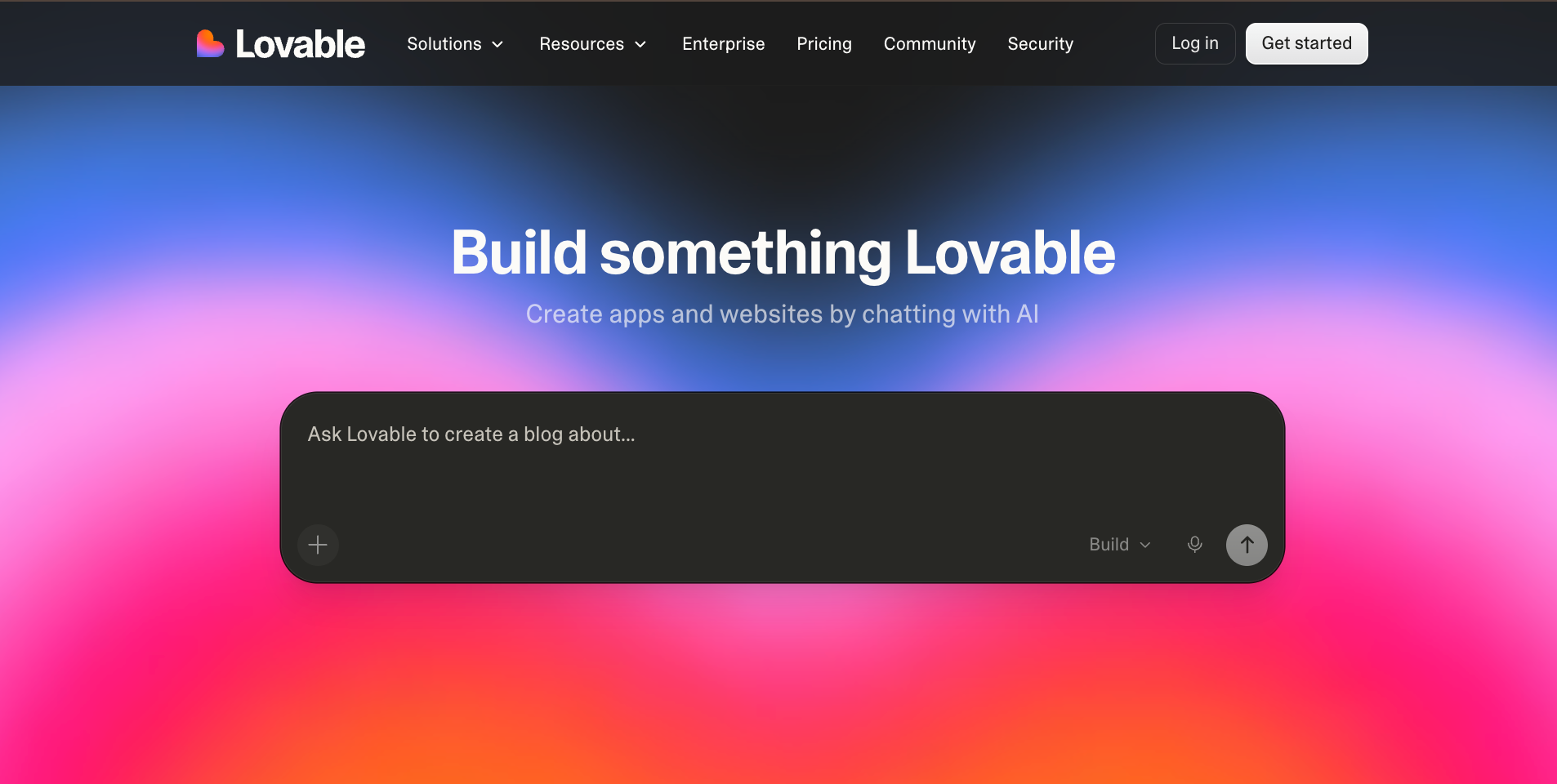
Lovable closes the gap between a working prototype and something you'd end up shipping. In one sitting, I had a working web app with a payment gateway, a connected database, and a live deployment. The whole thing took less time than I usually spend just on setup.
You can also build and ship AI applications directly from a prompt, without managing heavy infrastructure or wrestling with complex configuration.
The interface is clean, and prompting feels natural. The code it produces is solid enough to build on. You describe what you want, and the tool builds it.
With design edit tools, you can tweak or edit any UI component directly on the spot or by jumping into the code. Unlike AutoGen, where you write the infrastructure yourself, here it is already done by the time you look it up.
Pros
- Team workspace with roles, SSO, and security controls available
- Direct code editing alongside chat for fine-tuning generated output
- Integration support for APIs, payment gateways, and external services
- Built-in cloud hosting, custom domains, and in-platform deployment tools
- Full-stack app generation from prompts, including frontend, backend, and database
Cons
- Can feel slow or time out under heavier workloads
- The credit system gets restrictive on larger or more complex projects
Pricing
Lovable offers a free tier with limited daily credits, while paid plans start at $25/month (Pro) and $50/month (Business). Pricing scales with usage through a credit system, with Enterprise plans offering custom pricing for larger teams.
10 Bolt: Best browser-based AI IDE for quick app development
Why I picked it: Bolt made this list because it keeps everything in the browser. There’s no local setup or environment overhead. You type what you want, hit build, and within minutes, you have a running app you can interact with, edit, and deploy from the same screen. The file tree, terminal, and preview pane are exactly where a developer would expect them.
Anyone tired of configuring local dependencies before writing a single useful line of code will appreciate how fast Bolt gets out of the way.
Rating:
- Ease of use: 4.2/5
- Automation depth: 3.3/5
- Integrations: 3.5/5
- Overall: 3.6/5

Tools like Lovable and Replit lean toward skipping the coding part entirely. Bolt sits closer to the developer side, keeping coding, hosting, databases, and deployment all in one place without the environment overhead.
You open a browser, type what you want, hit build, and within minutes, you have a running application. In a few minutes, you can interact, edit, and deploy it from the same screen.
The coding environment clicks from the first session. The file tree, terminal, and preview pane are all exactly where a developer would reach for them. Firebase Studio integrates directly, and so does Claude Code, which handles code generation without a single tab switch.
The cracks show on longer builds. Token consumption starts doing its own thing, and getting code back into an external Git repo cleanly is still more of a chore than it has any right to be.
Pros
- Enterprise-grade infrastructure and reliability
- Private NPM support and design systems for teams
- Unlimited databases for large, data-heavy applications
- Built-in hosting, user authentication, custom domains, and SEO tools
Cons
- Token usage unpredictable for complex or iterative builds
- Exporting code to external Git repos requires manual effort
Pricing
Bolt has a free plan with 1M tokens per month. Paid plans start at $25/month for Pro and $30/month per member for Teams, with Enterprise on custom pricing.
How I tested these AI agent builders
To test these AI agent builders, I looked at four things: ease of use (how fast can you build something useful without reading docs), agent depth (does it support real decision-making or just pass data between apps), integrations (can it connect to tools like Gmail, Slack, and your CRM), and scalability (will you outgrow it in three months).
Here's the three-step process I followed to do my research:
- I tested every tool myself: I built real workflows in each one. That meant lead qualification flows, email automation, data scraping, and internal ops tasks. The goal was simple: how fast can I go from a blank screen to something that works? I timed the setup, tracked where I got stuck, and noted where things broke.
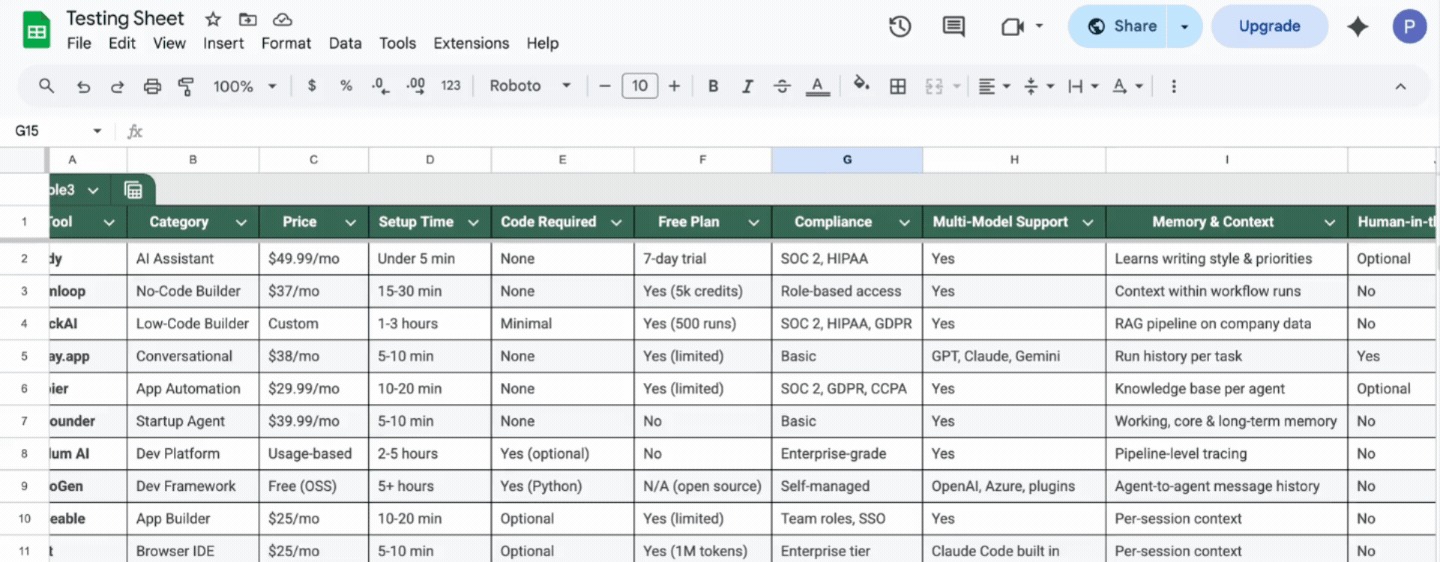
- I went to Reddit, G2, and Quora: My experience is one data point. So I observed threads and reviews to see what real teams were saying after weeks and months of use. Patterns like pricing friction, reliability complaints, and the point where teams outgrow a tool showed up fast and consistently.
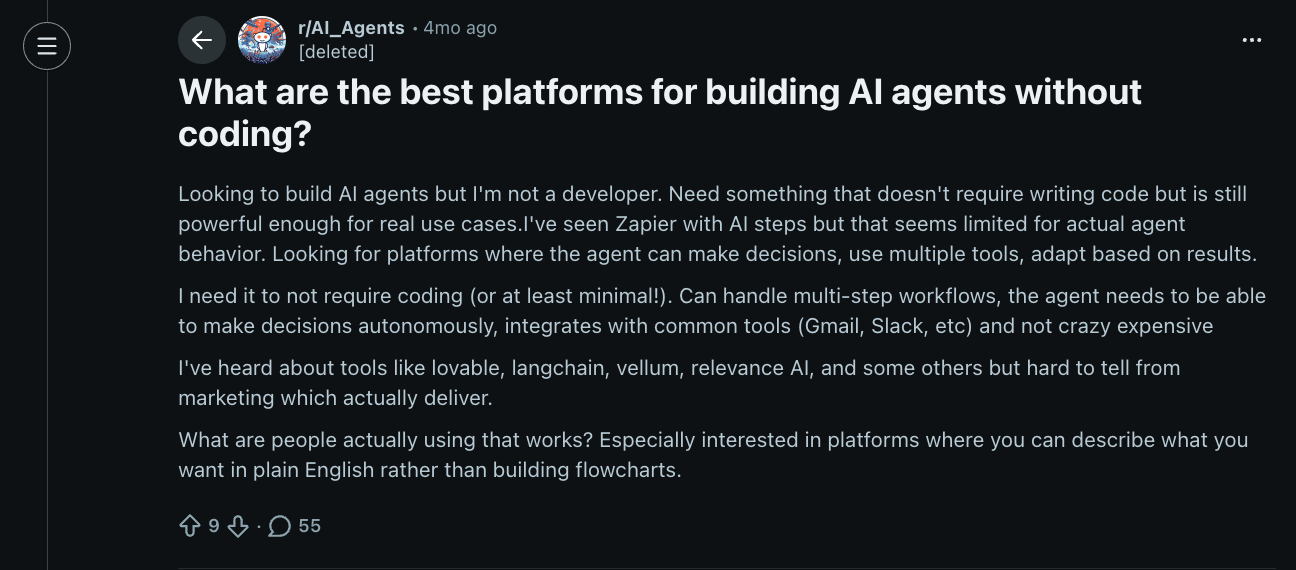
- I collected everything into a testing sheet: Every tool got scored across the same set of metrics, like category, price, setup time, and who it's best suited for. This kept the comparison honest and made it easier to spot where each tool genuinely stands out vs. where it falls short.
| Tool | Ease of use | Automation depth | Integrations | Overall |
|---|---|---|---|---|
| n8n | 3.9 | 4.7 | 4.5 | 4.4 |
| Gumloop | 4.3 | 4.2 | 4.0 | 4.1 |
| StackAI | 3.8 | 4.5 | 3.8 | 4.1 |
| Relay.app | 4.5 | 3.8 | 3.5 | 3.8 |
| Zapier | 4.2 | 3.9 | 5.0 | 4.3 |
| Cofounder | 4.4 | 3.5 | 2.8 | 3.4 |
| Vellum AI | 3.5 | 4.8 | 3.5 | 4.2 |
| AutoGen | 2.5 | 5.0 | 3.0 | 3.8 |
| Lovable | 4.0 | 3.5 | 3.8 | 3.7 |
| Bolt | 4.2 | 3.3 | 3.5 | 3.6 |
Which AI agent builder should you choose? My take
You should choose an AI agent builder based on your technical comfort level and the kind of work you need automated. There is no single perfect tool here, just the right one for your situation.
Here is a simple way to think through it:
- n8n is the pick for technical teams that want full control over hosting, data, and cost while building agents visually and with code.
- Gumloop fits best when you want AI to make the decisions inside your workflow rather than just executing steps in a sequence.
- StackAI is the right call if your workflows run on internal documents, databases, or APIs and need to be production-ready from day one.
- Relay.app works well for early-stage teams that want automation up and running fast without a steep learning curve or heavy configuration.
- Zapier AI agents make sense if your operation runs across a large number of business apps and you need an AI layer that ties all of them together.
- Lovable is where developers should go for full-stack app builds that need to go live fast with clean code underneath.
- Bolt is the better fit if you want a complete coding environment in the browser with no local setup and fast deployment.
- Vellum AI is for teams building AI products who need a proper development environment from the first prompt to production.
- AutoGen is the one to choose if you need full control over how multiple agents collaborate and are comfortable owning the infrastructure yourself.
- Cofounder suits early adopters and solo founders who want a lightweight start and would rather pay for what they use than commit to a fixed plan.
Pick the tool that matches the first workflow you want to automate, use the free tier, and let the use case tell you whether you need more.
Try Lindy: The AI assistant you can text to get work done
Lindy handles the work that most AI agent builders make you configure yourself. Tell it what you need in plain English, and it takes care of it across your inbox, calendar, and the tools your team already uses.
Here’s what that looks like in practice:
- Get answers instantly: Text Lindy to pull information from your email, calendar, or CRM without digging through tabs.
- Send emails and follow-ups automatically: Ask Lindy to draft, personalize, and send outreach and handle replies.
- Take meeting notes and share summaries: Lindy joins meetings, writes structured notes, and sends follow-ups afterward.
- Update your CRM without manual entry: After a call, Lindy logs notes and fills in missing fields automatically.
- Find and qualify leads in minutes: Tell Lindy your ideal customer profile and get curated lead lists ready for outreach.
- Hundreds of app integrations: Lindy connects with the tools you already use, so everything stays in sync.
FAQs
1. What is the best AI agent builder in 2026?
n8n is the best AI agent builder in 2026 if you want full control over hosting, data, and pricing while building agents visually and with code. AutoGen and Vellum are the strongest options if you want full control over multi-agent architecture and production deployment. Gumloop is the best no-code option for teams that want AI to make decisions inside their workflows.
2. What is the best no-code AI agent builder?
The best no-code AI agent builder depends on what you need. For teams that want to build visual workflows without code, Gumloop and Relay.app are solid alternatives. For teams who'd rather text an AI assistant and have it handle email, scheduling, and tasks directly, without building anything, Lindy is the simplest starting point. To explore more options and feature sets, read our guide on choosing the right no code ai agent builder.
3. What is the best AI agent builder for developers?
AutoGen is one of the best AI agent builders for developers. It gives you full control over agent roles, message flows, and multi-agent collaboration through the Python SDK. Vellum is the stronger pick if your team is shipping an AI product and needs built-in testing, deployment, and observability. Lovable and Bolt are better suited for developers who want to go from prompt to deployed app in one sitting.
4. What is the difference between an AI agent builder and an automation tool?
The difference between an AI agent builder and an automation tool comes down to judgment. An automation tool follows fixed rules you set in advance: "If this happens, do that." An AI agent builder lets you define a goal, and the system figures out the steps on its own. It reads context, makes decisions, and takes action. Automation handles predictable tasks. AI agents handle tasks that require thinking.
5. How much does it cost to build an AI agent?
The cost to build an AI agent ranges from free to $199/month, depending on the platform and how much you use it. Most tools on this list offer free tiers or trials. Paid plans typically start around $25 to $50/month. Open-source tools like AutoGen cost nothing upfront, but you pay for model API usage and your own infrastructure. Enterprise plans use custom pricing.
6. How do I choose the right AI agent builder for my team?
To choose the right AI agent builder, start with one question: Do you want to use an agent or build one? Non-technical teams in sales, ops, or support should start with Relay. Developer teams building AI products should evaluate AutoGen, Vellum, or Bolt. Enterprise teams with compliance requirements should look at StackAI. Pick the tool that matches the first workflow you want to automate, start with a trial, and let the use case tell you whether you need more.









