Build AI agents without code: 8 Best AI Agent Builders 2026
Everett tested eight no-code AI agent builders like Zapier, Make, and n8n, weighing ease of use, integrations, and pricing for teams choosing a platform.


I tried and reviewed multiple no-code AI agent builders to compile this list of the top 8. These tools let you create AI agents that can schedule meetings, qualify leads, summarize notes, and manage workflows across teams without needing engineering input.
My client's head of ops had spent three weeks trying to get Zapier to automatically qualify inbound leads, route them to HubSpot, and send a personalized follow-up. She didn’t ping the developer once. She'd done it all herself by watching YouTube tutorials, keeping 11 tabs open, and building a Zap that kept breaking at step three.
I'd been there. Before I started testing no-code AI agent builders seriously, I assumed the gap between "describe what you want" and "the thing running" was mostly a marketing promise. Most tools I'd tried required you to think like an engineer even when they told you not to.
So I tested 12 of them, and the gap between a good demo and a good tool turned out to be wide. Here's what I found.
Top 8 no-code AI agent builders: At a glance
Choosing the best no-code AI agent builder depends on whether you prioritize flexibility, ease of use, integrations, pricing, or advanced features like memory.
Below is a simplified comparison of the top platforms. To evaluate more options, you can review our guide on the top AI platforms available today.
To compare more leading options, explore our guide on top AI agent builder software for various use cases.
| Platform | Best for | Ease of use | Pricing (billed monthly) |
|---|---|---|---|
| Stack AI | No-code AI agents that handle business tasks | Easy | Free: 500 runs/month. Enterprise: custom |
| Relevance AI | Multi-agent workflows, enterprise | Moderate | Free plan with 200 actions/month. Paid plans start at $29/month |
| Postman | Dev teams, API-based workflows | Difficult | Free plan. Paid plans start at $12/month |
| Budibase | Internal app building | Easy | Free if you self-host. Cloud plans start at $23/month |
| Lyzr | Secure AI ops in enterprise | Moderate | $0.08/agent run (cloud), $0.03/agent run (on-prem) |
| Zapier | Simple automations | Easy | Free plan. Paid plans start at $29.99/month |
| Make | Complex logic & visual workflows | Difficult | Free plan. Paid plans start at $16/month |
| Retool | Dev-heavy internal tools | Difficult | Free plan. Paid from $12/builder/mo + $7/internal user/mo |
What is a no-code AI agent builder?
A no-code AI agent builder lets you create, configure, and run AI-powered agents through a visual interface, without writing any code. You describe the job in plain English and connect the agent to the tools your team already uses. The platform handles the rest. The agent runs on its own from there, following whatever logic you set up.
The practical difference between this and a traditional automation tool is that a no-code AI agent can interpret unstructured input, handle things that don't follow a fixed script, and make decisions mid-task.
A basic automation tool moves data from A to B when a trigger fires. An AI agent can read an email, decide whether it's a lead or a support request, pull the right information from your CRM, draft a response in your voice, and flag it for approval before sending, all in one run.
How I tested these no-code AI agent builders
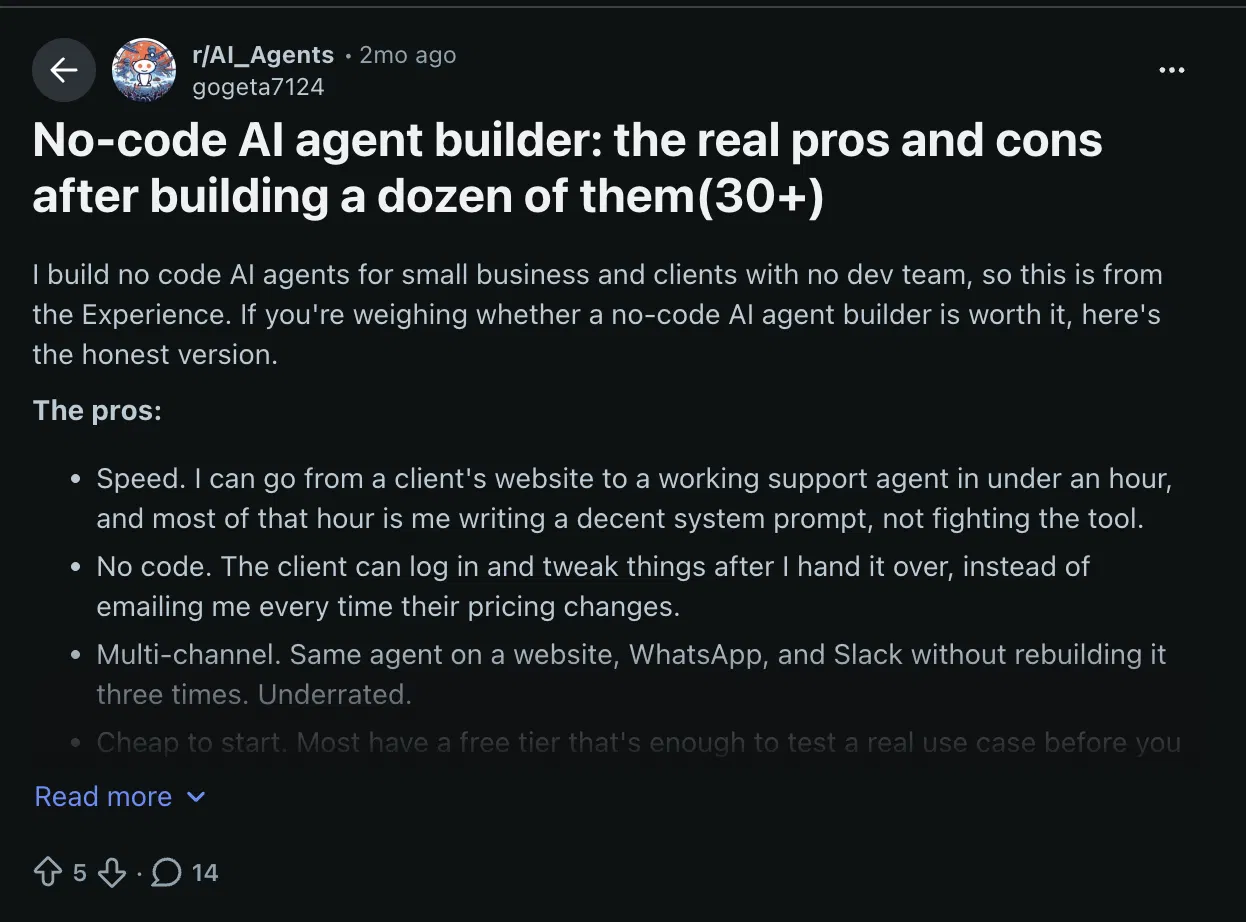
r/AI_Agents has been one of the more honest places to watch what happens when non-technical people try to build agents at scale.
A thread from a few months ago caught my attention: someone who builds AI agents for small businesses shared what they'd learned after completing over 30 of them.
Speed was real, but the bigger win was that clients could log in and adjust things themselves after handoff. The same agent running on a website, WhatsApp, and Slack without rebuilding it three times. Neither of those things shows up in most tool comparisons, but both of them determine whether a build lasts.
That shaped how I ran this.
Every tool was tested across the same five workstreams:
- Setup speed: How long from account creation to a working agent on a real task, without touching documentation.
- Handoff-ability: Could someone else on the team log in, understand what the agent was doing, and change it without breaking it?
- Integration depth: How cleanly did it connect to Gmail, HubSpot, Slack, and Google Calendar, the four tools that came up most often in the builds I was testing for.
- Agent behavior under pressure: What happened when the input didn't match what the agent expected? Did it fail gracefully, ask for clarification, or just stop?
- Pricing honesty: Did the plan that covered the actual use case cost what the pricing page suggested, or did it expand once you got inside?
I ran each tool on a paid account for at least two weeks, building every workflow from scratch rather than importing a template, so the setup friction was real.
Four tools didn't make the final list:
- Botpress has a generous free tier and a solid visual flow builder, and at $89/month the entry plan is affordable. It leans conversational, though, so it fits chat and support agents better than the general business workflows the tools on this list handle.
- n8n gives you more control than almost anything else here, and the drag-and-drop canvas genuinely covers a lot without code. Push past simple branching, though, and the answers you find are JavaScript answers, so the ceiling arrives sooner for a non-technical builder than the marketing suggests.
- Voiceflow is the best conversation design tool I've used, and for a voice or chat agent with a polished branching flow, nothing else comes close. It has since repositioned around customer-experience agents, so it fits a narrower job than the general-purpose tools on this list.
- Gemini Enterprise Agent Platform, formerly Vertex AI Agent Builder, is capable and integrates cleanly with Google's ecosystem, but it assumes you're already running on GCP.
Each of the eight tools on the list solved a distinct problem well enough to recommend to a specific kind of user.
1. Best No-Code AI Agent Builder for Everyday Business Tasks
Stack AI: What is it?
Stack AI lets businesses build and automate custom AI assistants and workflows with a simple drag-and-drop interface, without writing code. Connect it to your existing tools and documents, and agents start handling real work the same day.
Key features
- Security controls: AES-256 encryption at rest and TLS 1.3 in transit
- Enterprise governance: Role-based access control and SSO, both on the Enterprise plan.
- Multi-format deployment: Publish agents as chat widgets, forms, batch jobs, Slack or Teams bots, or API endpoints.
- Visual workflow builder: Drag-and-drop interface for building agents from a template or blank canvas.
- Knowledge base and RAG: Upload PDFs, URLs, or private docs, and agents answer from your own content, with sources cited.
- Compliance-ready: SOC 2 Type II, HIPAA, and GDPR compliance, with on-premises deployment available for stricter requirements.
Pros
- Strong document handling and RAG out of the box
- Enterprise security credentials make it a fit for regulated industries
- Rated among the easiest enterprise-grade no-code agent builders to get started with
Cons
- Smaller library of community templates than more consumer-facing tools
- No published self-serve paid tier between Free and Enterprise, so mid-size teams outgrowing the free plan need to talk to sales rather than just upgrading online.
Pricing
- Free plan with 500 runs/month, 1 seat, 2 projects
2. Best No-Code AI Agent Builder for Multi-Agent Workflows
Relevance AI: What is it?
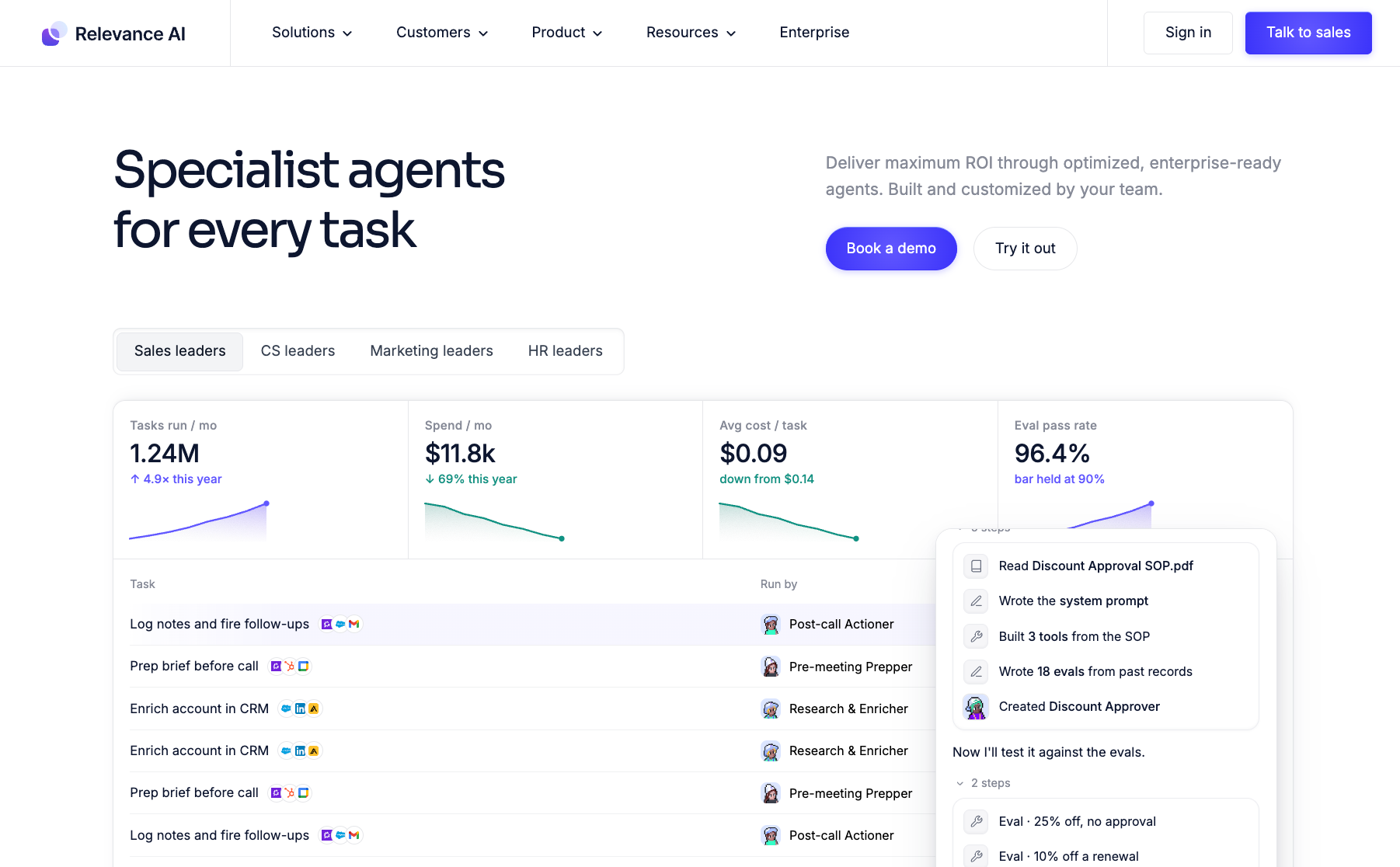
Relevance AI helps teams create and manage multiple agents that work together on complex processes. It's a good option for teams that want more flexibility and depth than traditional no-code tools.
Key features
- Visualization tools: See agent performance and interactions in real time.
- Custom logic builder: Use conditions and triggers to control how agents behave.
- Multi-agent orchestration: Build agents that collaborate and share data across workflows.
- Integrated vector database: Helps agents retain knowledge, improving accuracy over time.
- API connectivity: Connect with external data sources and integrate results directly into dashboards or CRMs.
Pros
- Built-in analytics for tracking workflow performance
- Combines visual building with developer-level flexibility
- Strong framework for teams that need advanced agent coordination
Cons
- Slightly steeper learning curve for beginners
- Limited template selection compared to simpler tools like Stack AI or Zapier
Pricing
- Free plan with 200 actions/month, no credit card needed / Pro: $29/month, 2,500 actions / Team: $349/month / Enterprise: custom
3. Best No-Code AI Agent Builder for API-First Developer Teams
Postman: What is it?
Postman extends the Postman API platform with tools to build AI-driven workflows. It works well for developers or technical operators who want to connect APIs and AI models into structured automation sequences.
Key features
- Integrated testing: Run automated tests on each workflow to ensure reliability.
- API-first design: Lets you build and test AI workflows directly from API endpoints.
- Custom scripting support: Add logic and handle complex branching using JavaScript.
- Collaborative workspace: Teams can share collections, monitor usage, and version workflows.
- AI model integration: Supports connections to popular LLM APIs for text generation or analysis.
Pros
- Built-in testing tools ensure precision and stability
- Strong team collaboration and documentation features
- Ideal for developers who want full control over API calls
Cons
- Requires technical knowledge and isn't suited for beginners
- Limited visual workflow builder compared to other no-code tools
Pricing
- Free plan available (50 AI credits/month)
- Paid plans start at $12/month, billed monthly
4. Best No-Code AI Agent Builder for Internal Apps and Dashboards
Budibase: What is it?
Budibase is a no-code platform for creating internal tools and dashboards. While it's not built solely for AI workflows, it includes enough automation and integration features to help teams build lightweight AI-powered internal apps.
Key features
- Data integration: Connects with databases, APIs, and spreadsheets.
- App builder: Create internal tools with drag-and-drop UI components.
- User permissions: Manage access levels for different team members.
- Custom scripting: Add JavaScript for advanced automation when needed.
- Automation builder: Trigger workflows based on form submissions or data updates.
Pros
- Strong data management features
- Easy to design clean user interfaces without coding
- Great option for teams combining AI workflows with internal dashboards
Cons
- Agents are still in beta, which Budibase labels in its own navigation
- Extra builders cost $50 each per month, so cloud costs climb fast once more than one person is building
Pricing
- Free and open-source if you self-host, with unlimited users. Cloud starts with a 14-day trial.
- Cloud plans start at $23/month, billed monthly.
5. Best No-Code AI Agent Builder for Enterprise Data Security
Lyzr: What is it?
Lyzr focuses on helping enterprises build secure AI automations and manage sensitive data. It combines workflow automation with compliance and access control, making it well-suited to regulated industries.

Key features
- Custom agents: Build specialized AI agents for operations, analysis, or reporting.
- Data governance tools: Manage access and protect sensitive company information.
- Integration support: Connects with major CRMs, databases, and cloud storage systems.
- Scalable architecture: Built to support large teams and complex multi-department workflows.
- Compliance: SOC 2 Type II, ISO 27001, ISO 42001, HIPAA, and GDPR
Pros
- Reliable for large-scale deployments
- Supports detailed permission and access management
Cons
- Higher learning curve than smaller no-code tools
- Model costs sit on top of the plan price, so the real bill runs above the headline per-run rate
Pricing
- Lyzr Cloud: $0.08/agent run, fully managed
- Lyzr VPC/On-prem: $0.03/agent run, self-hosted with full data sovereignty
6. Best No-Code AI Agent Builder for Simple, Beginner-Friendly Automations
Zapier: What is it?
Zapier is one of the most popular no-code tools for connecting apps and automating workflows. Alongside the classic Zap builder, it now sells Zapier Agents, which let you describe an agent in plain English and give it access to your connected apps.
Key features
- Error handling: Automatically monitor and retry failed automations.
- Multi-step zaps: Chain multiple apps and tasks together to form custom workflows.
- AI actions: Add AI steps to workflows for text generation, classification, or data parsing.
- App ecosystem: Connects to thousands of apps, covering nearly every major business tool.
- Simple workflow builder: Create step-by-step automations using plain-language triggers and actions.
Pros
- Extremely beginner-friendly
- Works well for connecting popular apps
- Expansive integration library and community support
Cons
- Pricing can increase quickly with higher task volumes
- Agent activity is capped separately from tasks, at 400 activities a month on Free and 1,500 on Pro
Pricing
- Free plan that offers 100 tasks/month
- Paid plans start at $29.99/month, billed monthly
7. Best No-Code AI Agent Builder for Complex Multi-Step Visual Workflows
Make: What is it?
Make is a visual automation platform that offers detailed control. It allows users to design advanced workflows with branching logic, data manipulation, and deep app integrations. It's ideal for teams that want to build complex automations without writing code.
Key features
- Conditional logic: Add branching paths and variable-based triggers.
- Data handling: Transform, filter, and map data between connected apps.
- API access: Integrate external systems through HTTP requests or custom webhooks.
- Visual builder: Design complex, multi-step workflows using a drag-and-drop interface.
- AI module support: Connect LLM APIs for text generation, sentiment analysis, or summarization.
Pros
- Extremely flexible for building advanced workflows
- Strong visual interface for understanding complex logic
- Good balance between no-code accessibility and developer control
Cons
- Steeper learning curve for new users
- Workflows can get complicated if not organized carefully
Pricing
- Free plan offers 1,000 credits/month
- Paid plans start from $16/month for 10,000 credits, billed monthly ($12/month billed annually)
8. Best No-Code AI Agent Builder for Developer-Built Internal Tools
Retool: What is it?
Retool is a low-code platform that helps technical teams build internal tools quickly. It targets developers who want to combine AI models, databases, and APIs into their applications without building everything from scratch.
Key features
- Custom scripting: Add business logic or validations using JavaScript.
- Version control: Manage changes and deploy updates with Git integration.
- Low-code builder: Use drag-and-drop UI blocks alongside custom JavaScript.
- Database integration: Connects with SQL databases, REST APIs, and spreadsheets.
- AI components: Integrate large language models into dashboards or internal workflows.
Pros
- Scalable for enterprise use
- Integration with developer workflows and APIs
- Excellent for technical teams that need custom internal tools
Cons
- Requires some coding knowledge
- Less suitable for non-technical users or small teams
Pricing
- Free plan offers 500 workflow runs/month
- Paid tiers start from $12/builder/month + $7/internal user/month, billed monthly
{{templates}}
Which no-code AI agent builder should you choose? My verdict
The best no-code AI agent builder comes down to who's building, how many agents need to work together, and what your compliance situation looks like. A tool that's perfect for a marketing ops team can be the wrong call for a platform engineer, even if both are building something they'd call an AI agent.
Here's what matters when you're comparing options:
- Who's doing the building: If it's a non-technical operator, Stack AI and Zapier are both designed to get a working agent live in a day without engineering help. If it's a developer, Postman and Retool give you the code-level control that no-code tools trade away for simplicity.
- How many agents need to coordinate: A single agent handling one task fits almost any tool here. The moment you need agents handing work to each other, Relevance AI's multi-agent orchestration is the only one built specifically for that.
- Pricing model: Every paid plan here charges a flat monthly fee and meters usage on top, including tasks on Zapier, credits on Make and Lyzr, actions on Relevance AI. What changes is how fast the meter runs, so price a plan against your expected volume rather than the headline. Stack AI sits outside both: free tier or Enterprise, with no self-serve middle ground.
- Compliance requirements: If you handle sensitive data or operate in a regulated industry, Lyzr and Stack AI both lead with compliance as core features.
- What you're replacing: Teams automating a manual process for the first time usually do well starting on Zapier or Make. Teams replacing another workflow tool and wanting more agent-like reasoning on top should look at Relevance AI or Stack AI instead.
When should you use Lindy instead of an agent builder?
If you want outcomes without building anything, Lindy is the alternative to an agent builder. Every tool on this list asks you to map the steps, connect the apps, and test until it holds up. Lindy skips that entirely.
Lindy is an AI teammate that lives in your company's Slack. @mention it in a channel, and it answers from what your company already knows. DM it, and it handles your inbox and calendar like an assistant. Nothing to map, nothing to maintain.
It connects to Gmail, Slack, HubSpot, Notion, and hundreds of other tools, so the work happens where your team already works.
Plans start at $29.99 per user per month, with a 7-day free trial for new Slack workspace members.
That's the real trade. A builder gives you control over every step. A teammate gives you the result without the build.
{{cta}}
Frequently asked questions
Which no-code AI agent builder is the easiest to use for non-devs?
Zapier is the easiest no-code AI agent builder for non-developers, using plain-language triggers and actions instead of a technical canvas. Connect two apps and add an AI step in minutes. Stack AI is a close second for agents that need to do more than move data between apps. Postman and Retool both require coding knowledge.
Can I create multi-agent workflows with no-code tools?
Yes, several no-code tools support multi-agent workflows. Relevance AI is built specifically for this, letting separate agents qualify leads, send follow-ups, and update your CRM as a coordinated team. Stack AI and Lyzr also support agent-to-agent handoffs, though with less dedicated tooling. Simpler platforms like Zapier handle single-agent automations better than true multi-agent coordination.
How much does it cost to build an AI agent?
Building a basic AI agent is low-cost to start. Most tools on this list offer a free plan or a free usage tier. Paid plans on this list start at $12 a month, and real budgets usually stay under $100 a month once you need higher usage limits or team collaboration. Enterprise deployments with compliance requirements or heavy agent-run volume can run several hundred dollars a month or more.
Do no-code AI agent builders lock you into one AI model?
No, most modern no-code AI agent builders support multiple model providers. Stack AI, Relevance AI, and Lyzr all let you choose between models like GPT, Claude, and Gemini rather than tying you to a single vendor. That flexibility matters if pricing or performance shifts, since you can swap the underlying model without rebuilding the whole agent.
How secure are no-code AI agents for handling sensitive company data?
Security varies a lot by tool, so check certifications before connecting sensitive data. Stack AI and Lyzr both publish SOC 2 Type II, HIPAA, and GDPR compliance. Stack AI puts role-based access control and SSO on its Enterprise plan, so check the tier before you plan around them. Consumer-leaning tools like Zapier and Make offer solid baseline security but fewer built-in governance controls, so regulated teams should lean toward the enterprise-focused platforms.
Can non-technical teams maintain AI agents after they're built?
Yes, Stack AI and Zapier both use visual builders that a non-technical team member can open later to adjust a trigger, add a step, or fix a broken connection without calling engineering. Code-heavy platforms like Postman and Retool typically need a developer for ongoing maintenance, even if a non-technical person handles the initial setup.









